
DNS Edge November Release: Insights, Fleet Management, Native Threat Protection
The November release of DNS Edge has some amazing new features, including insights, fleet management, and native threat protection


 Key takeawaysKey takeaways are generated with AI assistance. Because automated summaries can occasionally contain errors or miss important context, always refer to the full blog post for complete information.
The article announces the November Release beta of BlueCat DNS Edge introducing DNS Insights to help cybersecurity and networking teams extract meaningful, graphical intelligence from DNS logs to identify anomalies, misconfigurations, and malicious activity. It explains how query types, response codes, and site traffic patterns can indicate exfiltration, DGA infections, DDoS or load-balancing problems, and how DNS Insights complements command-line investigation. The release also adds Service Point Fleet Management for visibility into service point connection status and native integration with BlueCat Threat Protection feeds to apply block, redirect, or monitor policies directly from an Edge instance.
What does the DNS Insights beta in the November Release of BlueCat DNS Edge provide?
DNS Insights provides a graphical view of aggregated DNS log data to help identify misconfigurations, anomalous traffic, and potential malicious activity. The beta surfaces metrics such as policies, policy actions, threat indicators, protocols, query types, response codes, sites, namespaces, query volume by source IPs, and query volume by domain count. It is intended to make it easier to spot unusual patterns—like spikes in TXT or NULL queries, or increases in SERVFAIL and NXDOMAIN responses—and complements deeper, command-line analysis available in DNS Edge.
How can specific DNS query types and response codes indicate security or operational issues?
Unusually high volumes of TXT or NULL query types can indicate suspicious activity: TXT queries may be used for data exfiltration because of their larger character limits, while a surge in NULL queries can signal a DDoS attack originating from compromised endpoints. Response codes such as SERVFAIL or NXDOMAIN often point to misconfigurations—like clients querying incorrect domain names—or to infected devices running domain-generating algorithms (DGA). Spikes in these query types and response codes are frequently early indicators that warrant further investigation.
What new management and threat-integration capabilities were added in this release?
The release adds Service Point Fleet Management, enabling users to view and navigate service points from the cloud console (/servicepoints) or via hyperlinked service points in the site window, and to see all service points and their connection status within a site. It also introduces native integration with BlueCat Threat Protection: customers with a Threat Protection subscription can apply curated threat intelligence feeds—covering C2 domains, ransomware, botnets, and other malware—to policies directly from their Edge instance, creating block, redirect, or monitor actions against those domain lists.
DNS data can be difficult to wrangle. Gleaning meaningful insights from the constant stream of data is a daunting task. But there’s a lot of insight for both cybersecurity and networking teams in that data. That’s why the November Release of BlueCat DNS Edge™ provides a new beta capability aptly called, “DNS Insights”.
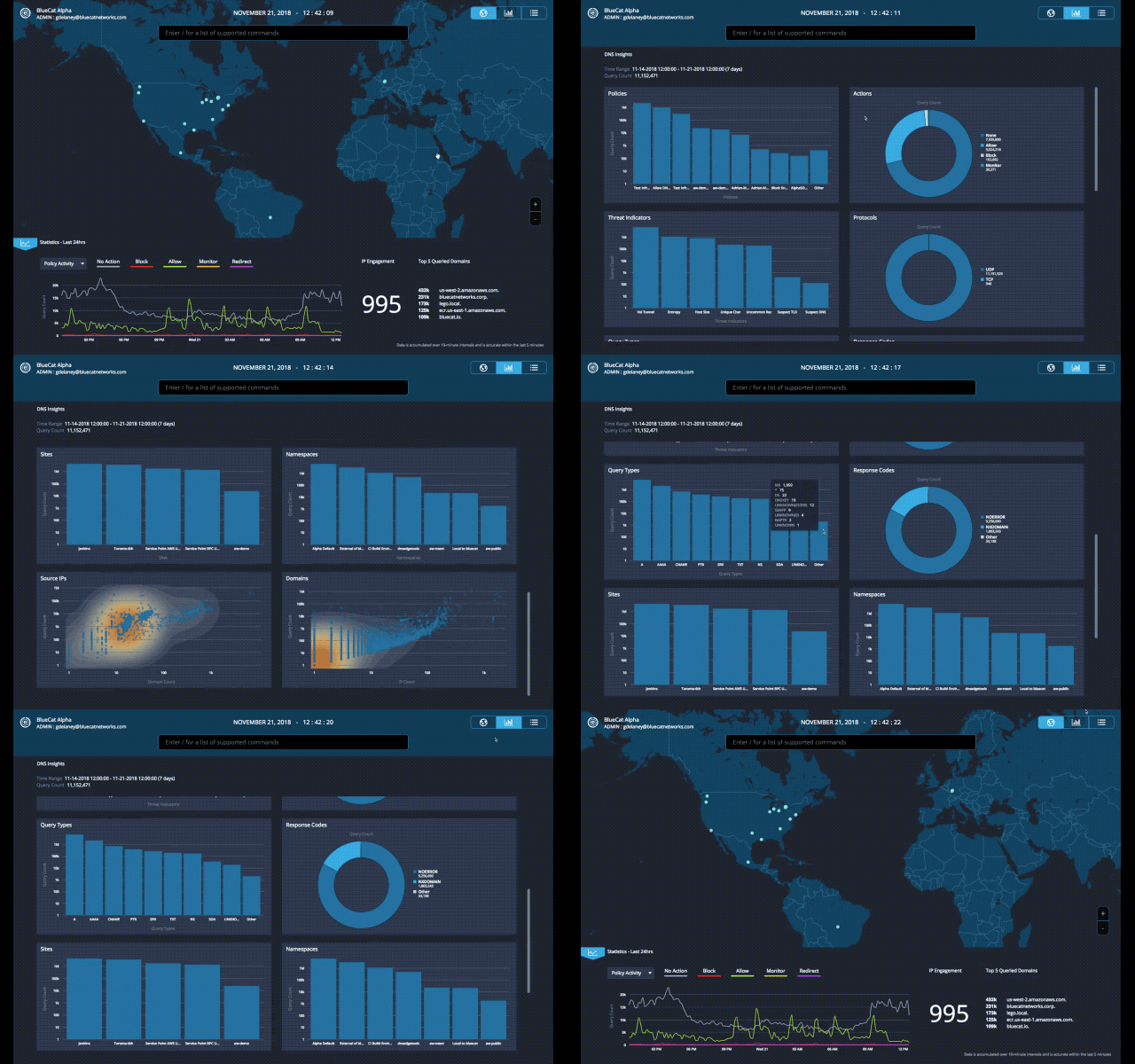
DNS Insights: Identify Anomalies, Uncover Configuration Issues
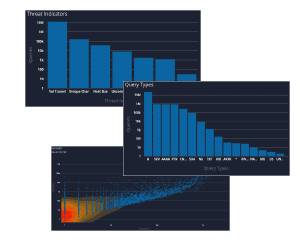
A single DNS log can provide a lot of answers. Charted in aggregate, those logs begin to uncover misconfigurations, understand traffic load, detect malicious activity and anomalies that warrant a closer look.
With this latest update of BlueCat DNS Edge, we begin to provide a graphical view of important data with the beta release of DNS Insights. This includes policies, policy actions, threat indicators, protocols, query types, response codes, sites, namespaces, query volume by source IPs and query volume by domain count.
What DNS queries will tell you
Query Types: Unusually high TXT or NULL query types can indicate activity that warrants additional investigation. This investigation involves reviewing those query types to understand the context and source IP they’re originating from. TXT queries are often used to exfiltrate data since the query type itself has a larger character limit than others. NULL query types at unusually high volumes can indicate a DDoS attack from a compromised endpoint.
Response Codes: Query responses such as SERVFAIL or NXDOMAIN can indicate a misconfiguration – for example, an application on a client device looking up an incorrect domain name. NXDOMAIN errors can also be generated from domain-generating algorithms (DGA) on an infected client device. Spikes in these response codes are often the first signs of bigger problems.
Sites: Unusually high volume of traffic to a particular site can indicate load balancing problems. Addressing these issue may require adjusting anycast configurations, deploying additional DNS Edge service points, or other changes. If the site has a low volume of client devices, it may indicate a compromised endpoint that is worth investigating.
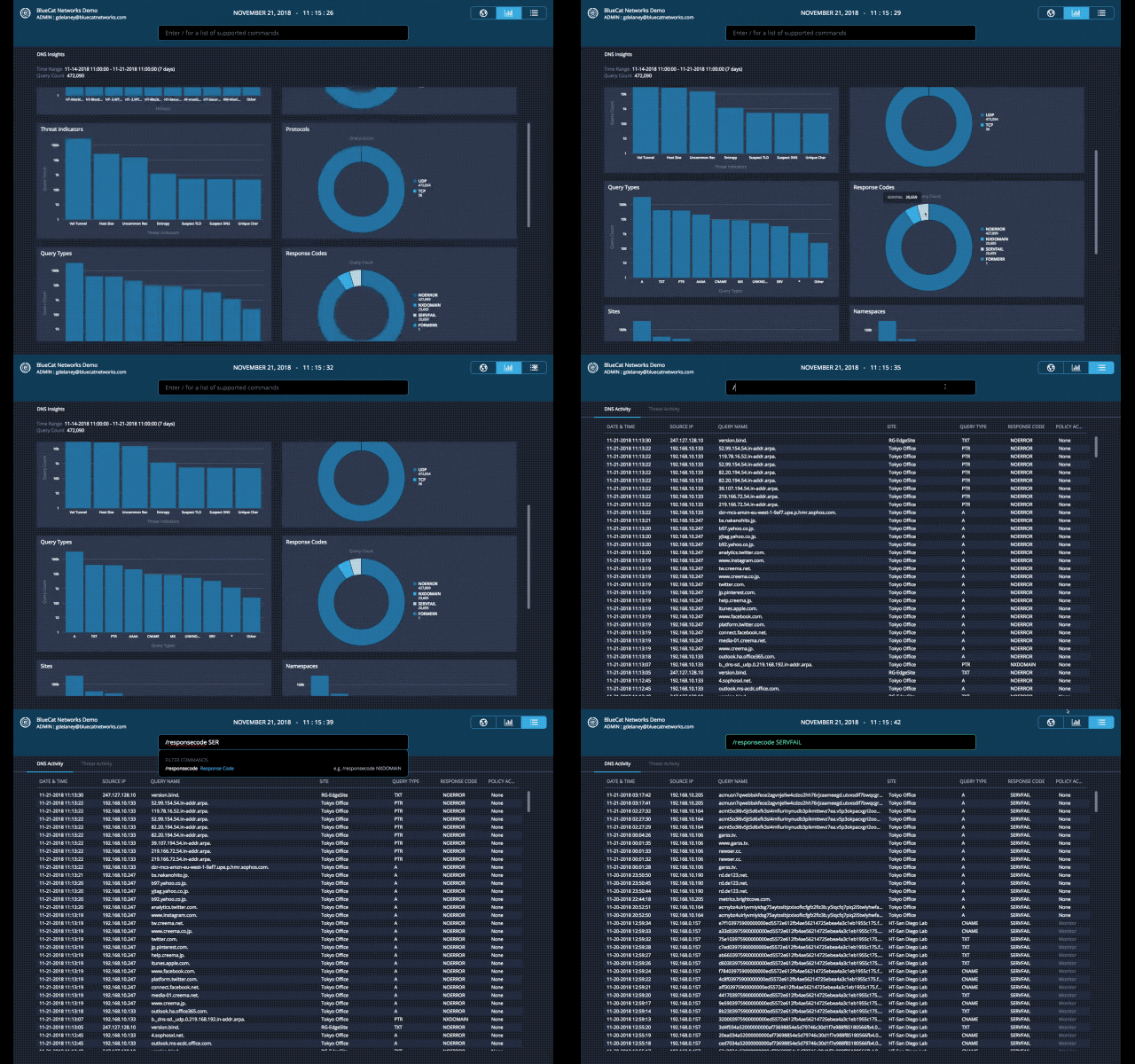
Today, looking deeper into these findings is easily achieved by adjusting the command line within DNS Edge. The additional visibility provided by the DNS Insights tab is just the starting point of what’s to come in future releases.
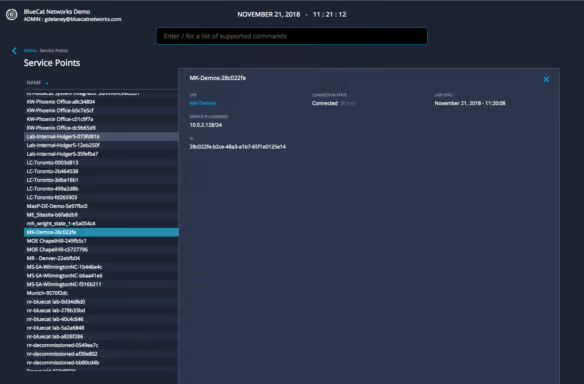
Service Point Fleet Management
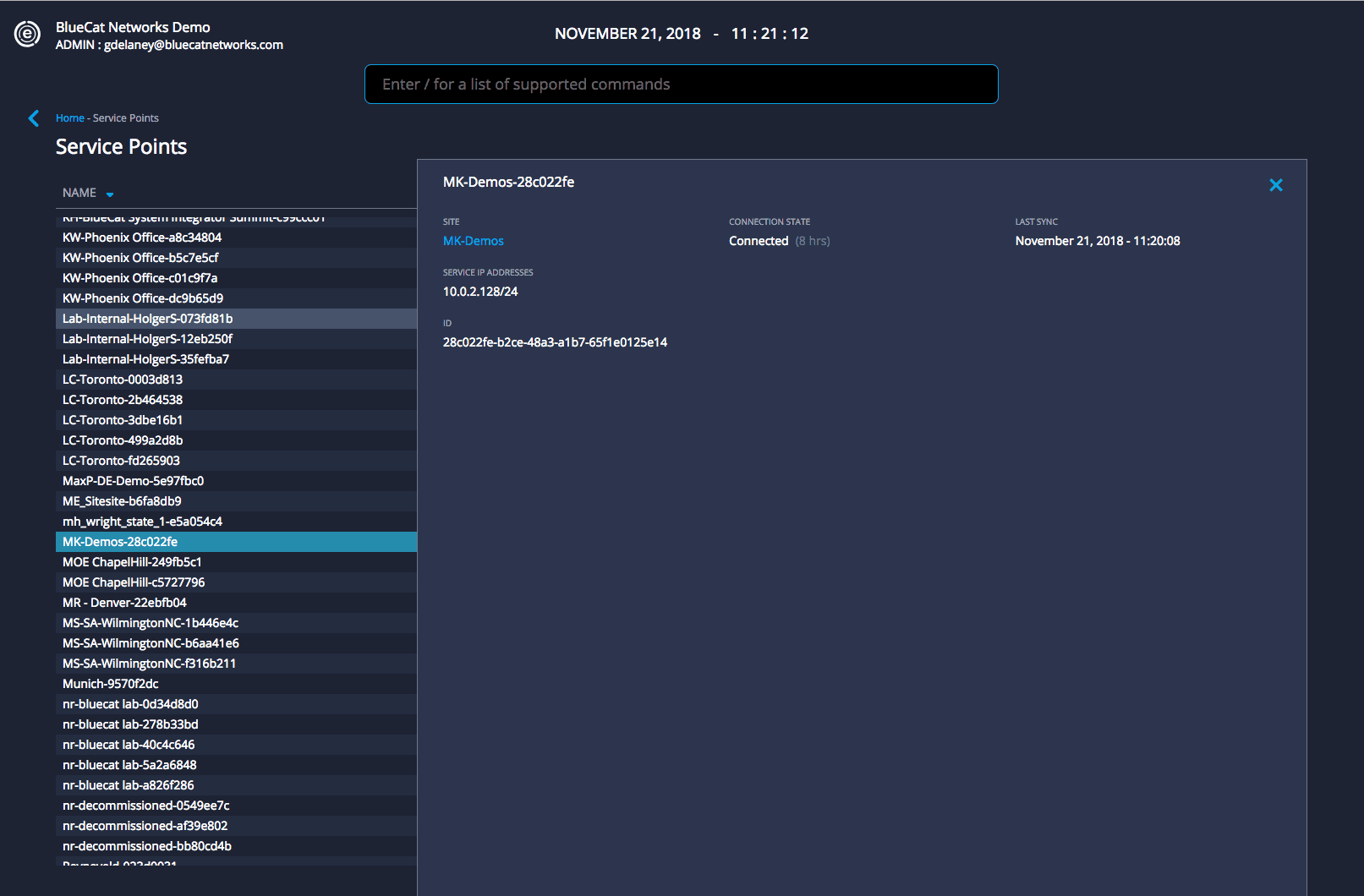
DNS Edge provides critical visibility and control of DNS on your network writ large. With this release, we are delivering additional visibility into Service Points from within your cloud console. “Service Point Fleet Management”, allows users to navigate to /servicepoints from the command line or click on the hyperlinked Service Point within the site window.
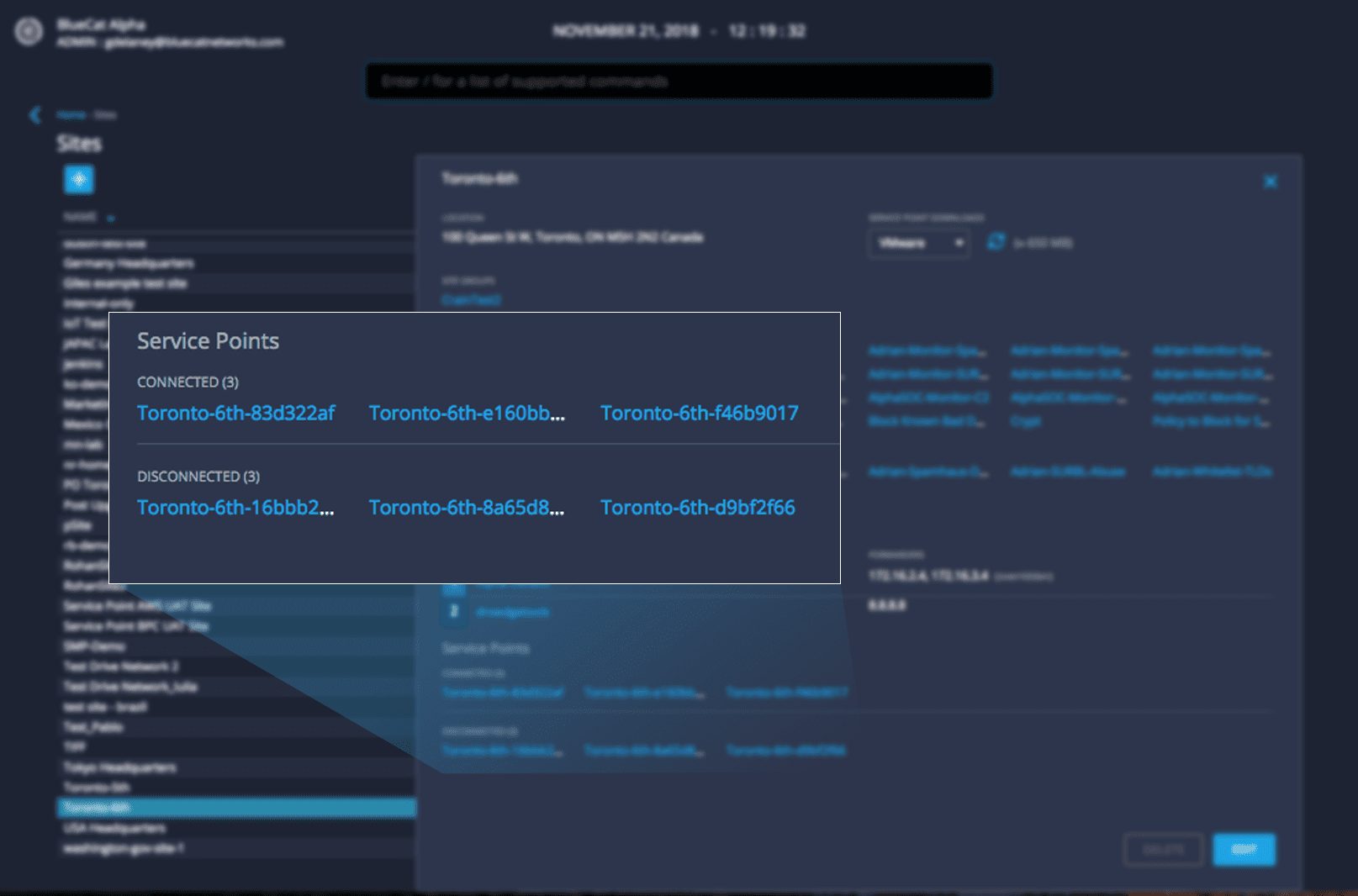
Within a site, users can easily view all Service Points and their connection status.
Native Threat Intelligence Integration
BlueCat Threat Protection™ is a curated source of threat intelligence feeds updated regularly with findings and sources from BlueCat threat analysts. This threat intelligence includes command and control (C2) domains, ransomware, botnets and other malware types. With this release, BlueCat customers with a subscription to Threat Protection can apply feeds to a policy natively available from within their Edge Instance. Users select the appropriate threat feed domain list and create block, redirect or monitor policies to take action.

Mark is a Senior Product Marketing Manager at BlueCat Networks.
Related content

Get answers from the LiveNX data you already have with LiveAssist
Learn how LiveAssist, the AI-powered add-on for LiveNX, turns your network data into fast, guided answers, with value you can see in days.

Get total control of your DDI infrastructure with Micetro’s unified API
Stop juggling between network tools and use Micetro’s RESTful API for complete control over your DDI infrastructure and cloud environment.

BlueCat MCP servers bring network intelligence to your AI assistant
Our MCP servers provide a standard integration layer that makes it easy to connect the AI tools you already use to BlueCat products.

We bet on Intelligent NetOps two years ago. Infoblox now has too.
With Infoblox acquiring Kentik, BlueCat’s CEO confirms its vision for a single platform unifying DDI, network monitoring, and observability.