Micetro: smarter DDI visibility reports
Micetro Advanced Reporting automates DDI visibility across the enterprise
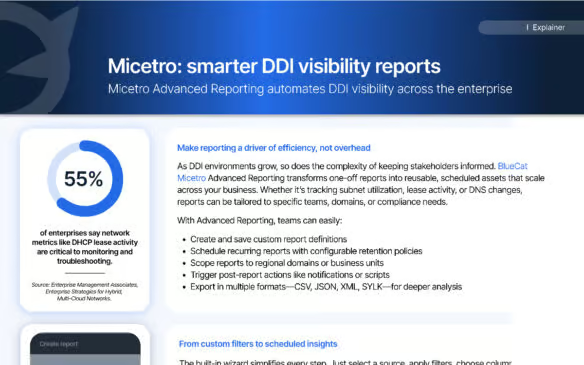
 Key takeawaysKey takeaways are generated with AI assistance. Because automated summaries can occasionally contain errors or miss important context, always refer to the full blog post for complete information.
The article describes BlueCat Micetro Advanced Reporting, a solution that automates and scales DDI (DNS, DHCP, IPAM) visibility reporting for enterprises to reduce manual overhead and improve stakeholder insight. It addresses the real-world problem of growing complexity in DDI environments by enabling reusable, scheduled, and scoped reports (by domain, region, or business unit) with configurable retention and post-report actions such as notifications or scripts. Key outcomes include localized, automated distribution of IP utilization, DNS change, and DHCP lease reports—illustrated by a global CPG use case that centralized reporting, enabled local autonomy, improved oversight, and expanded reporting coverage over time.
What reporting capabilities does Micetro Advanced Reporting provide for managing growing DDI environments?
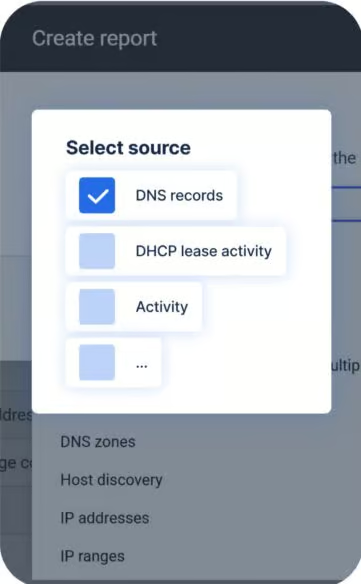
Micetro Advanced Reporting allows teams to create and save custom report definitions and schedule recurring reports with configurable retention policies. Reports can be scoped to specific domains, regions, or business units so stakeholders receive only relevant data. The system supports post-report actions such as notifications or scripts and exports in multiple formats (CSV, JSON, XML, SYLK) for downstream analysis, enabling scalable, repeatable visibility across expanding DDI environments.
How did the global Consumer Packaged Goods (CPG) company use Advanced Reporting to balance localized insights with global oversight?
The CPG company scheduled IP utilization reports to run automatically for each regional IT team and customized each report to include only the relevant domain or geographic scope, removing the need for manual filtering. Reports ran every Monday, were retained for 30 days, and triggered email alerts when usage crossed predefined thresholds. Over time the organization extended reporting to include DNS record changes and DHCP lease activity, creating a centralized reporting model that preserved local autonomy while improving global oversight.
What export formats and post-report actions are supported, and how do they enable deeper analysis and automation?
Advanced Reporting supports export in CSV, JSON, XML, and SYLK formats, allowing organizations to ingest report data into analytics tools or custom workflows for deeper analysis. Post-report actions include sending notifications (for example, email alerts when thresholds are exceeded) and executing scripts, enabling automated responses or integrations with other operational systems. These capabilities help convert scheduled reporting into actionable, automated processes that reduce manual overhead and improve operational efficiency.
Make reporting a driver of efficiency, not overhead
As DDI environments grow, so does the complexity of keeping stakeholders informed. BlueCat Micetro Advanced Reporting transforms one-off reports into reusable, scheduled assets that scale across your business. Whether it’s tracking subnet utilization, lease activity, or DNS changes, reports can be tailored to specific teams, domains, or compliance needs.
With Advanced Reporting, teams can easily:
- Create and save custom report definitions
- Schedule recurring reports with configurable retention policies
- Scope reports to regional domains or business units
- Trigger post-report actions like notifications or scripts
- Export in multiple formats—CSV, JSON, XML, SYLK—for deeper analysis
BlueCat’s Intelligent Network Operations (NetOps)
BlueCat’s Intelligent NetOps solutions provide the analytics and intelligence needed to enable, optimize, and secure the network to achieve business goals. With an Intelligent NetOps suite, organizations can more easily change and modernize the network as business requirements demand.