
DNS Automation: Managing DNS Options and Roles
Harmonizing DNS/DHCP options and server roles across multiple levels of IP address management can be a time-consuming task. Here’s how BlueCat helps.



 Key takeawaysKey takeaways are generated with AI assistance. Because automated summaries can occasionally contain errors or miss important context, always refer to the full blog post for complete information.
The article announces a new BlueCat automation workflow that centralizes and automates management of DNS/DHCP options and server roles across an Address Manager configuration, solving the time-consuming, manual process of navigating hierarchies to find and edit individual settings. By presenting options and roles in a tree structure with associated values and locations, administrators can perform bulk changes, consolidate inheritances, and resolve inconsistencies more efficiently, reducing repetitive edits across devices. The workflow supports searching, renaming custom options, editing or moving values, and managing server roles, and is available for download from the BlueCat Labs GitHub repository.
What problem does the new BlueCat automation workflow solve?
The workflow addresses the manual, two-step process administrators previously faced when harmonizing DNS/DHCP options and server roles across configurations: locating individual options by navigating through blocks, networks, zones, or views, and then editing values or inheritance levels. It automates the search from the options point of view, displays all associated locations and values, and enables bulk changes and consolidation of inheritance from a single place. This saves time and effort by allowing administrators to manage numerous options on multiple devices simultaneously and more efficiently identify inconsistencies.
How does the workflow present options and roles to make management easier?
The workflow gathers values and locations for options and roles across a configuration and organizes them into a tree structure with options or server roles at the root. Each option node lists its assigned values with their respective locations as child entries, enabling administrators to see where values are used and identify inconsistencies. From this unified view users can search by option, role name, or value, highlight where names or values appear in the tree, and perform bulk edits, consolidations, or navigation directly to specific items.
What specific actions can administrators perform using this workflow?
Administrators can search by option or role name or by value to locate usages and highlights in the tree; rename custom options; add, modify, or delete values for default or custom options; and cut and paste values to new locations to consolidate inheritance at higher levels. They can also view all server roles assigned within a configuration, add or remove roles, and change role associations within the hierarchy. The workflow enables these bulk and hierarchical management tasks from a single view and is available for download from the BlueCat Labs GitHub repository.
Harmonizing DNS/DHCP options and server roles across multiple levels of IP address management can be a time-consuming task.
Viewing these settings throughout your database and dealing with conflicts is usually a two step process. First, administrators have to navigate through configurations, blocks, networks, zones, or views to locate individual options. Only then can they edit the value or move its location and level of inheritance. It wasn’t possible to automatically find these options and roles, let alone manage them from a single place….until now.
Automated management of DNS roles and options
Enter the latest automation workflow from BlueCat. Leveraging the power of BlueCat’s intelligent automation platform, this new workflow allows users to make bulk changes to DNS/DHCP options and server roles without having to individually navigate through the hierarchy and set them in the BlueCat Address Manager. The workflow automates the search from the options point of view, displaying all of its associated locations and values. This allows users to make bulk changes and consolidate inheritances all in one place.
Administrators save time and effort by managing and modifying numerous options on multiple devices at the same time. The workflow makes it easier to search and find where options are used and see where the inconsistencies exist so that the options can be deployed more efficiently.
The workflow can also help to minimize the number of options assigned by allowing administrators to cut and paste options and their values, thus consolidating inheritance of values at a higher level.
How it works
The workflow gathers values and locations on options and roles from across a configuration and puts it into a tree structure with the options or server roles at the root. Child to each option is a list of values currently assigned followed by their respective locations.
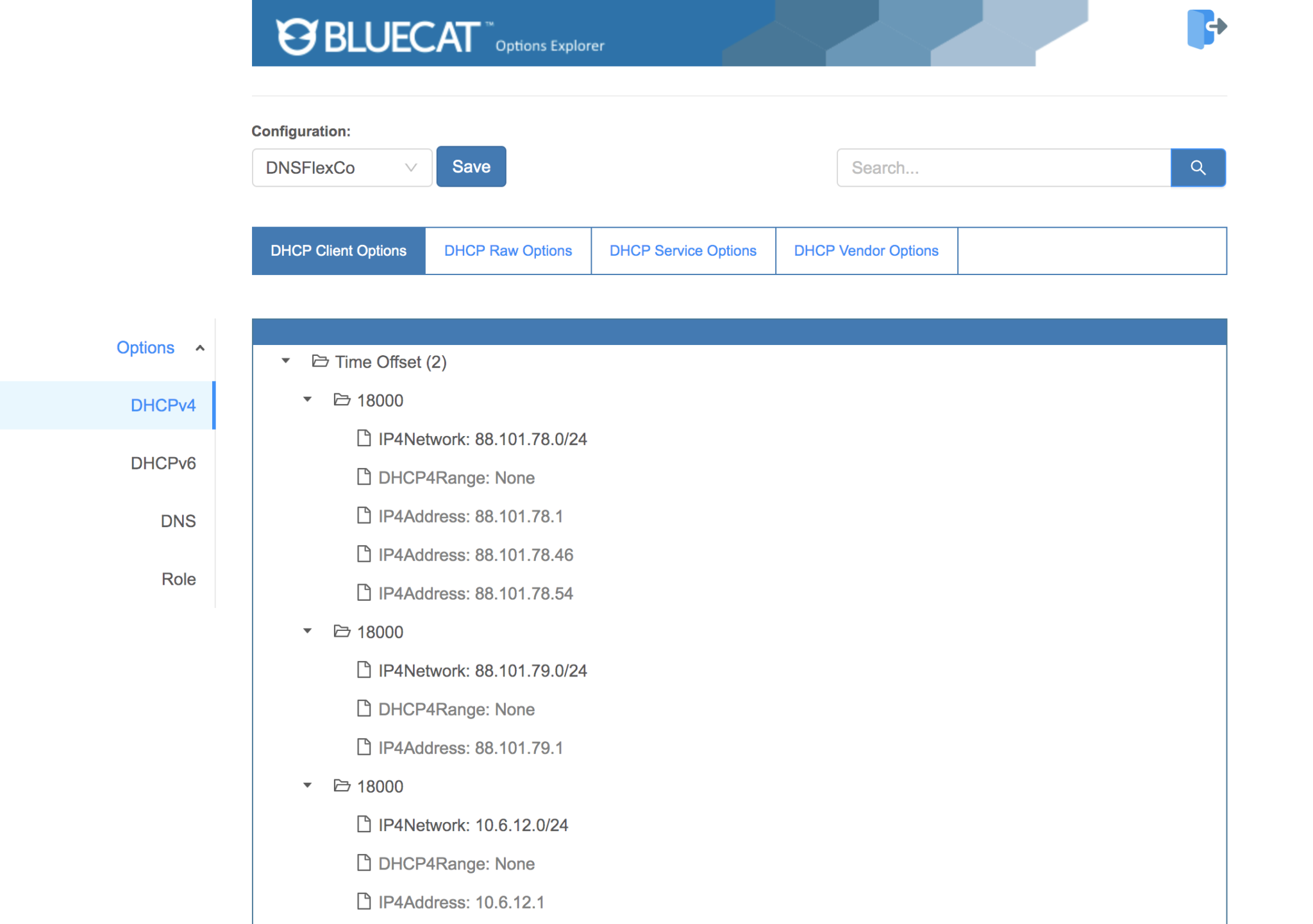
From this workflow, you can perform the following tasks:
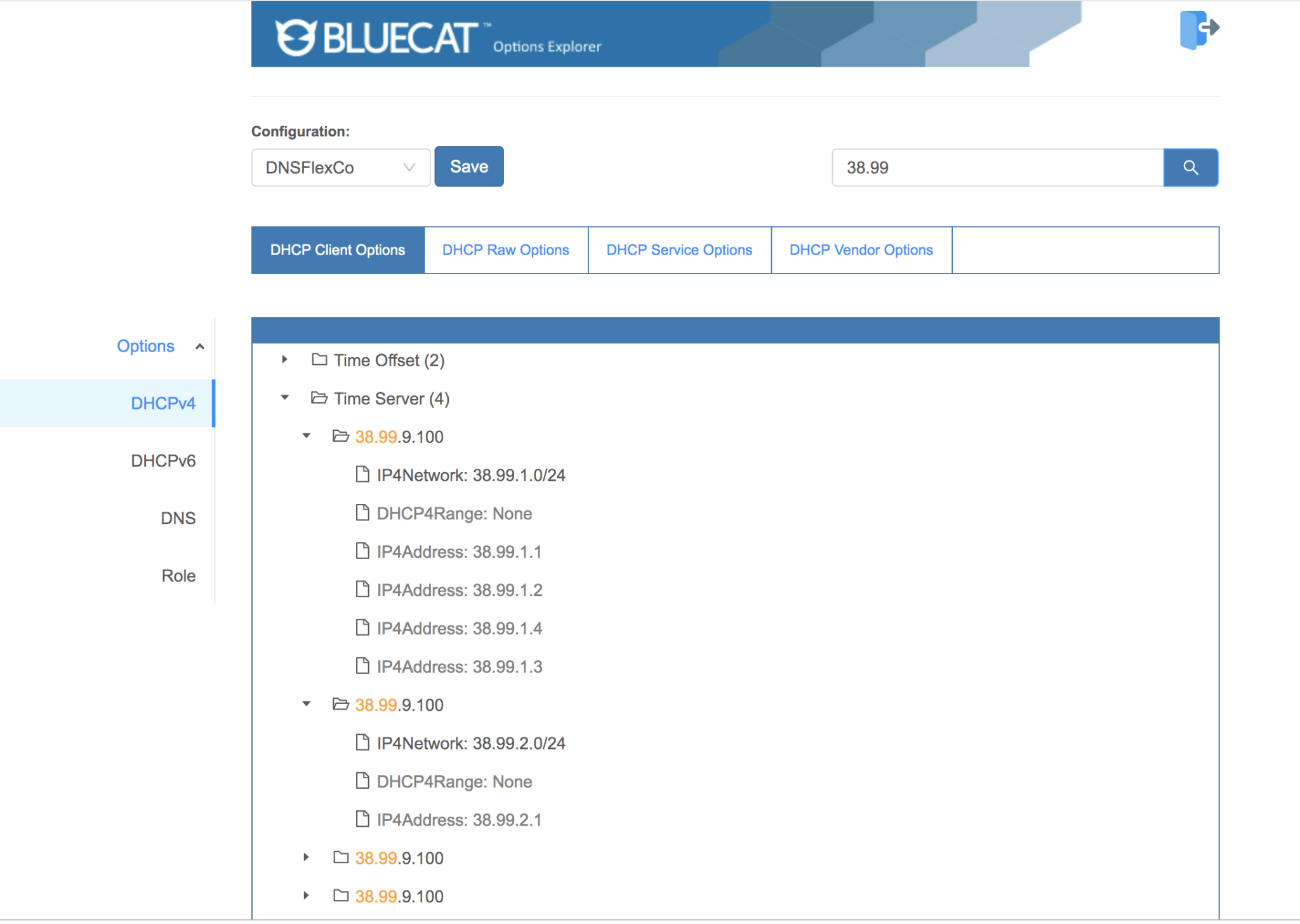
You can search by the option or role name or value, and it will highlight where those names are located in the tree or where those values are assigned.
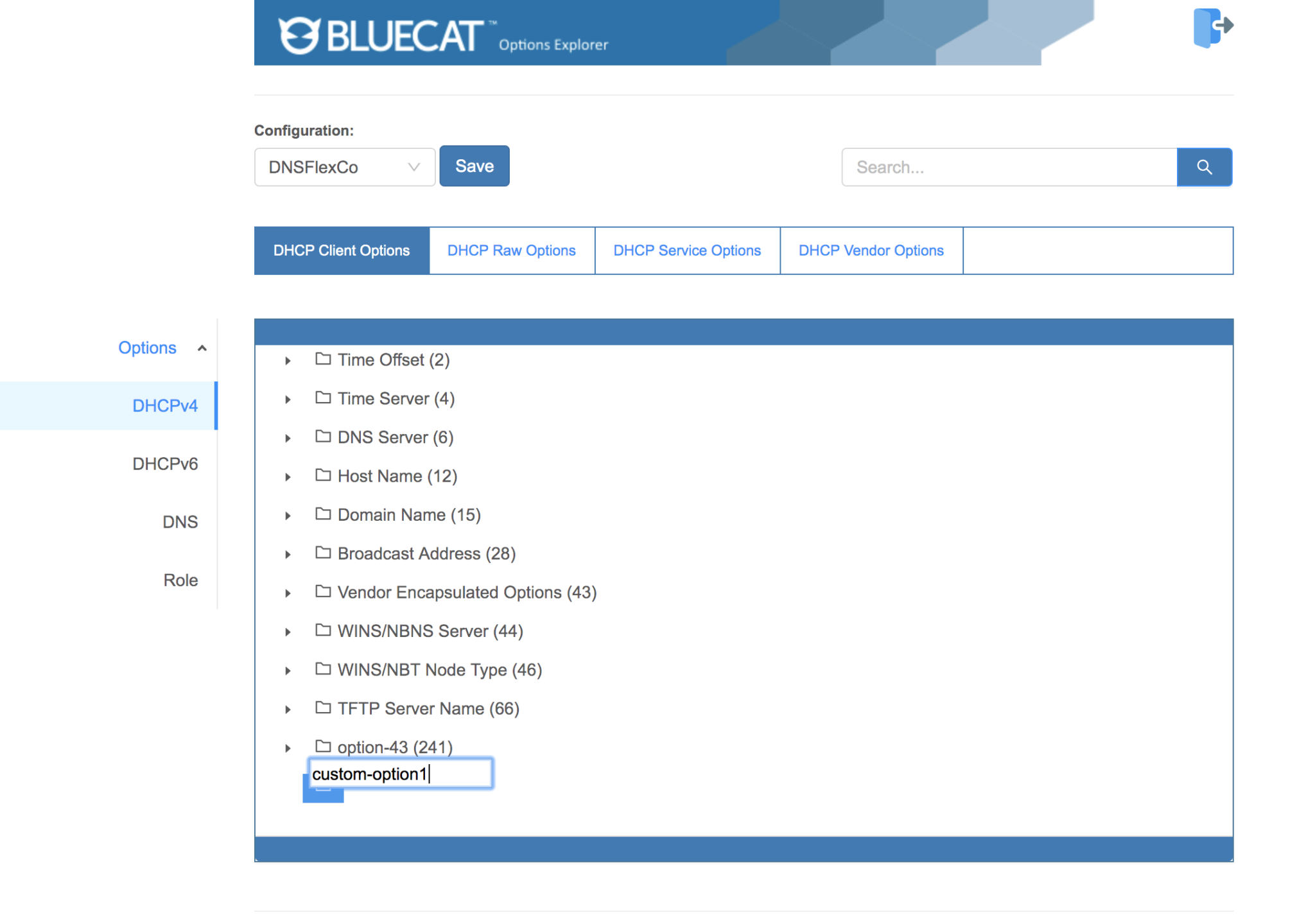
You can navigate to a particular option and if it is a custom option, change its name.
You can navigate to a default or custom option and add, modify, delete its value or cut and paste it to a new location.

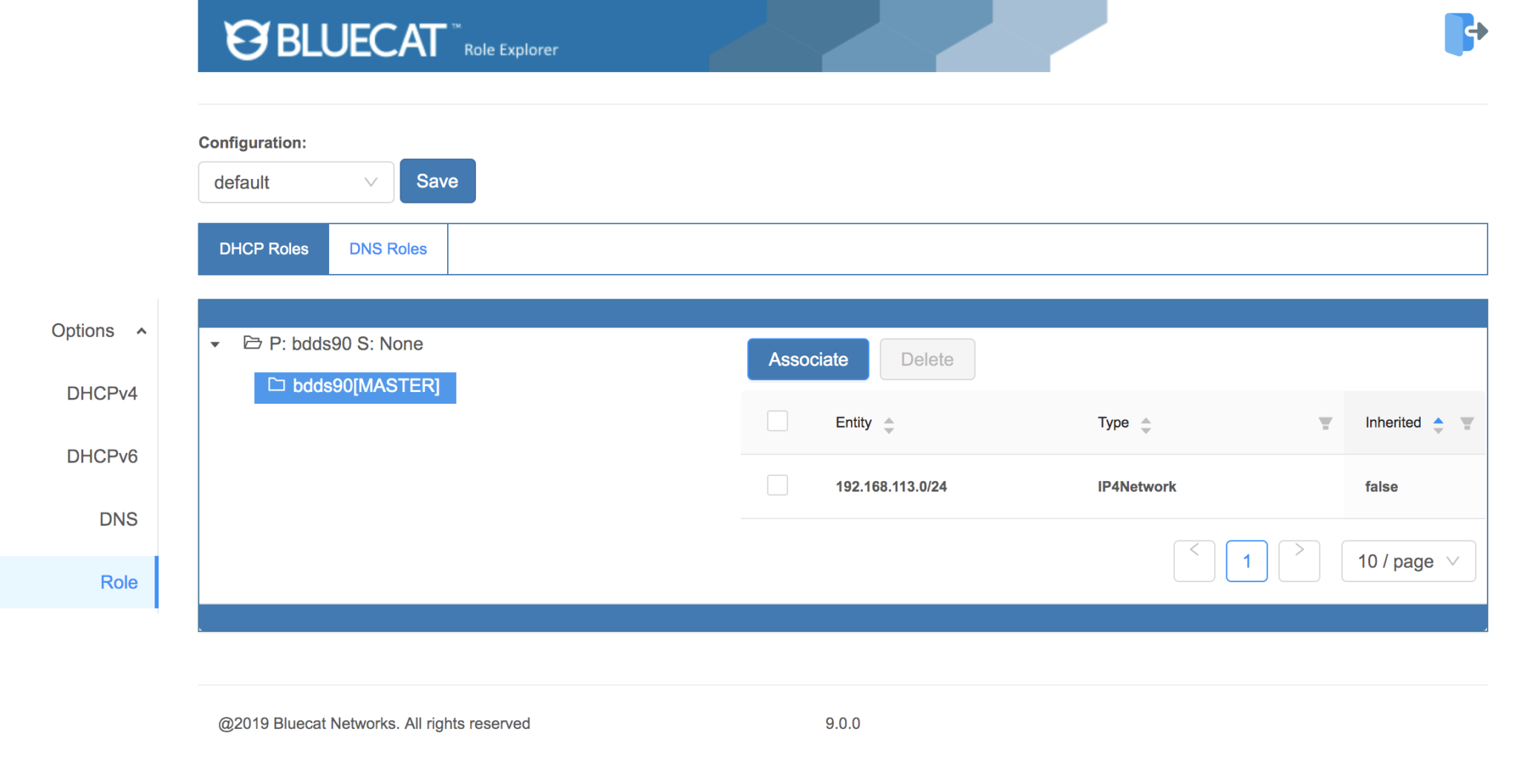
You can see all of the server roles currently assigned within a configuration, add additional roles, delete them, or change their associations within the hierarchy.
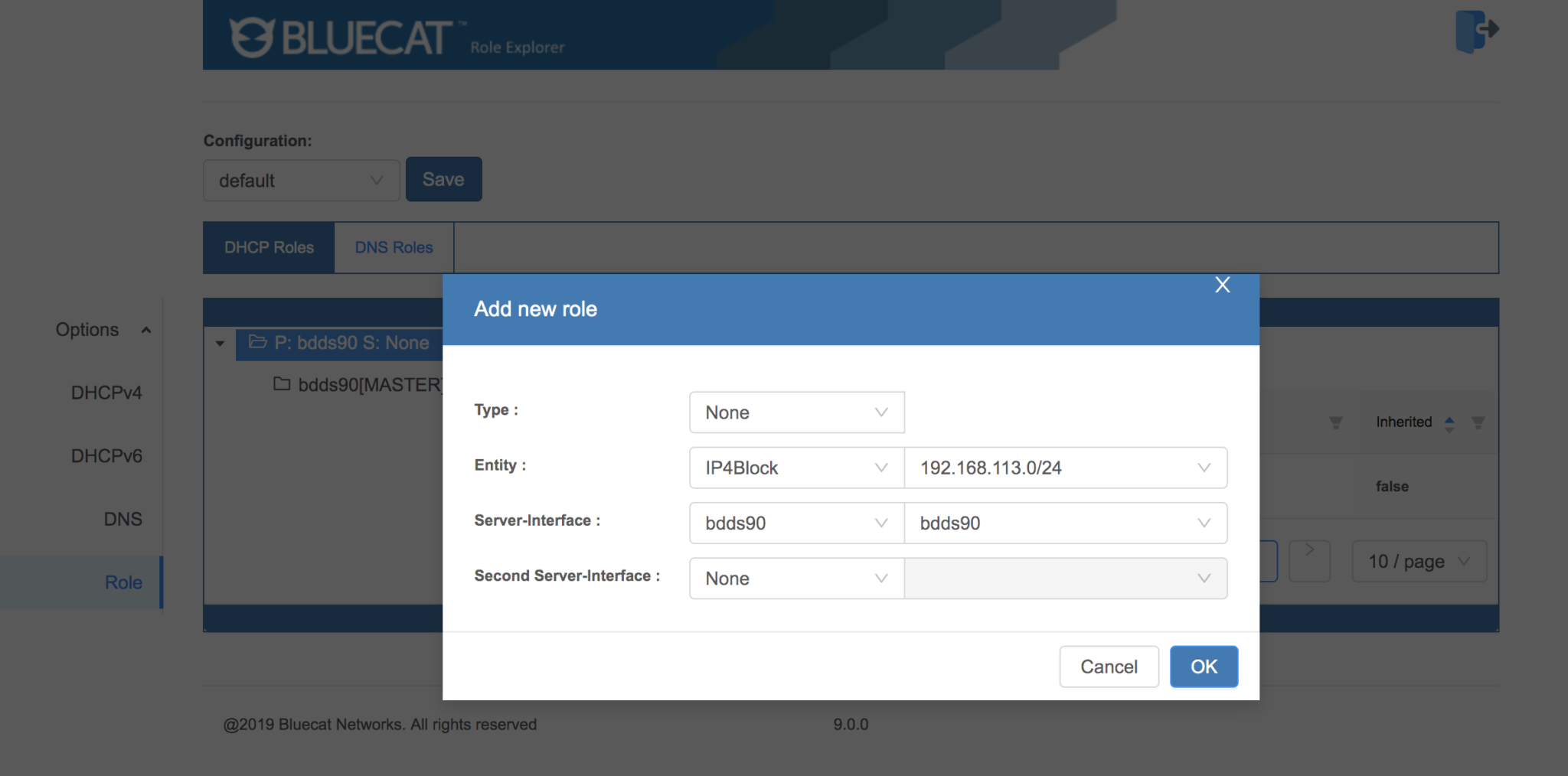
Ready to start managing options and roles from a single view? Download the workflow from our BlueCat Labs GitHub repository today.
Published in:

BlueCat provides core services and solutions that help our customers and their teams deliver change-ready networks. With BlueCat, organizations can build reliable, secure, and agile mission-critical networks that can support transformation initiatives such as cloud adoption and automation. BlueCat’s growing portfolio includes services and solutions for automated and unified DDI management, network security, multicloud management, and network observability and health.
Related content

Get answers from the LiveNX data you already have with LiveAssist
Learn how LiveAssist, the AI-powered add-on for LiveNX, turns your network data into fast, guided answers, with value you can see in days.

Get total control of your DDI infrastructure with Micetro’s unified API
Stop juggling between network tools and use Micetro’s RESTful API for complete control over your DDI infrastructure and cloud environment.

BlueCat MCP servers bring network intelligence to your AI assistant
Our MCP servers provide a standard integration layer that makes it easy to connect the AI tools you already use to BlueCat products.

We bet on Intelligent NetOps two years ago. Infoblox now has too.
With Infoblox acquiring Kentik, BlueCat’s CEO confirms its vision for a single platform unifying DDI, network monitoring, and observability.