
Top 5 Issues To Look For When Troubleshooting Your Check Point Firewalls
Looking for a troubleshooting guide for your CPFW? indeni runs 24/7 checks and compiled a guide to the top 5 misconfiguration issues consistently found. See


Notice: This blog post was originally published on Indeni before its acquisition by BlueCat.
The content reflects the expertise and perspectives of the Indeni team at the time of writing. While some references may be outdated, the insights remain valuable. For the latest updates and solutions, explore the rest of our blog
 Key takeawaysKey takeaways are generated with AI assistance. Because automated summaries can occasionally contain errors or miss important context, always refer to the full blog post for complete information.
This article summarizes the top five operational challenges observed by indeni Insight across Check Point firewalls and offers practical recommendations to avoid outages. It addresses real-world problems such as NTP misconfiguration, CPU spikes during policy installs leading to ClusterXL failovers, broken gateway-management communication affecting logs and VPNs, inconsistent cluster member configurations after manual changes or RMAs, and interface errors/drops caused by duplex mismatches or resource exhaustion. The piece emphasizes proactive monitoring, dedicated gateway-management networks, configuration consistency checks, and using indeni to detect these issues early to reduce downtime and operational impact.
What causes NTP misconfiguration on Check Point firewalls and how does it affect operations?
NTP misconfiguration often happens when the NTP server configuration is changed elsewhere—such as a server IP update, a firewall rule change, or a routing change—and the device can no longer reach the configured NTP server. Because timekeeping is fundamental to logging and event correlation, broken NTP can leave firewall logs with incorrect timestamps and might go unnoticed until an audit or incident investigation. The recommended mitigation is to run periodic checks to ensure clocks are correctly set on all devices so that logs and security processes remain reliable.
Why can policy installations trigger ClusterXL failovers on Check Point devices, and what should be checked?
Policy installations can be CPU-intensive and drive device CPU utilization high enough to disrupt ClusterXL behavior, causing cluster failovers or flaky traffic. When you observe traffic loss or unexpected failovers following a policy install, investigate CPU load and refer to Check Point guidance such as SK32488. Operationally, you should monitor for traffic interruptions during installs, consider scheduling installs during low impact windows, and validate that cluster functionality remains stable under the install-induced load.
How do communication failures between gateways and management servers manifest, and what preventive measures are suggested?
Communication issues between gateways and management/log servers can cause varied failures: loss of centralized logs (firewalls log locally), VPN tunnels being taken down because gateways cannot verify a management-hosted CRL, and other management-related disruptions. The article recommends placing gateway-management communication on a separate, dedicated network that isn’t touched, or at minimum a well-documented logical network if a physical separation isn’t possible. Proactive alerting and monitoring—such as using indeni—help detect these communication failures before they lead to outages.
We’ve recently taken a snapshot of alerts across all the customers using our indeni Insight service. It’s amazing to see what indeni finds in different devices, made by different vendors. I’d like to take the opportunity to share what we’ve found for Check Point firewalls in this post.
So, if you own Check Point firewalls, here are the top 5 challenges; you should look out for. We recommend printing this and taping to the wall. You’ll need it in your next outage.
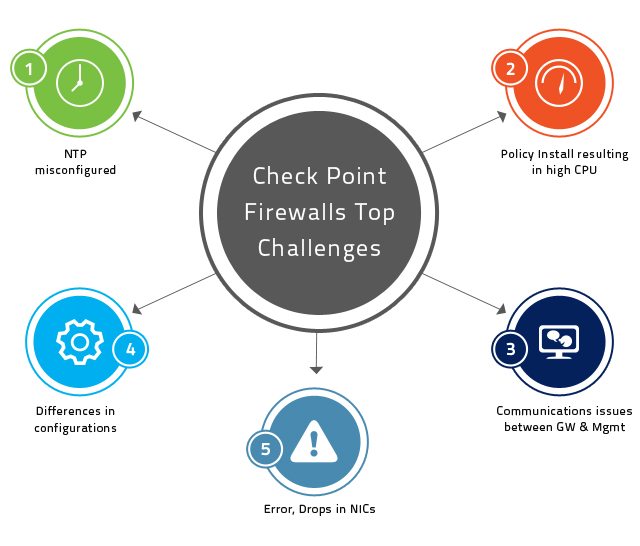
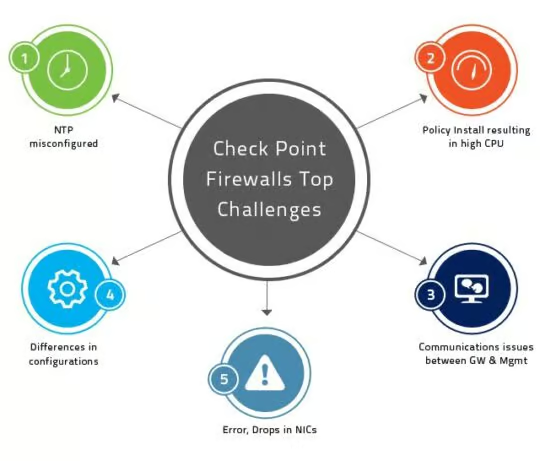
Top 5 Challenges
1. NTP misconfigured – it’s amazing how this small configuration can be wrong in so many devices. It’s quite simple really – at the point when you’ve configured the NTP server everything worked flawlessly. Then somebody changed the NTP server’s IP, or a rule in the firewall, or a route in a router, or a… (you get the idea)…and it breaks. The trouble is, you don’t know it’s broken. If you’re lucky, you find out about it in an audit. If you’re unlucky, you find yourself scratching your head wondering why the logs coming out of your firewall are completely off.
Our Recommendation: run periodic checks to make sure the clocks are correctly set on all of your devices.
2.Policy install resulting in high CPU and a cluster fail over – a policy installation is a CPU-intensive process in many cases. The high CPU that results from policy installation may in turn result in the ClusterXL functionality misbehaving. We recommend looking out for traffic loss and/or cluster fail overs during policy installations and considering following SK32488.
Our Recommendation: if you notice flaky network traffic behavior post a policy install, take a look at SK32488.
3. Communication issues between the gateways and management – these result in a variety of issues. From the loss of logs (and firewalls logging locally) to VPN tunnel being taken down due to the gateway’s inability to check the CRL (which is on the management server’s certificate authority).
Our Recommendation: place the communication between gateways and management/log-servers on a separate, dedicated network and ensure that network isn’t touched. If it’s not possible to create this network physically, a logical one that is well communicated within the organization would help too.
4. Differences in configurations across cluster members – Check Point have been generous enough to allow its users to tune and configure every little knob in their products. The complication this presents, however, is that some configurations must be copied manually across cluster members or set differently in different members. If someone makes a change in one member and forgets to change the other, this can break. We’ve also seen many occasions where an RMA resulted in such a situation as a new device was brought on line.
Our Recommendation: don’t make changes to cluster members in the middle of the night 🙂 Seriously though, when clusters behave oddly, check routing, .def files, .conf files, kernel parameters, SecureXL configs, CoreXL configs,etc. and make sure the configurations match across the cluster.
5. Errors, drops, collisions and various traffic issues – while these are basic, you’d be surprised how easily they are missed. Errors normally result from wrong duplex settings while drops from bursty traffic or from lack of resources to handle the traffic that’s flowing (NIC resources or CPU/IRQ resources).
Our Recommendation: monitor the various interface stats closely and identify increases promptly.
Alternatively, you can use indeni to identify all of the above issues and hundreds more. For us, it’s all about avoiding outages by pin-pointing issues before they turn critical. It takes less than 45 minutes to install, no agents (download now) and we’ll be happy to help you do it (contact our support).
Related content

Get answers from the LiveNX data you already have with LiveAssist
Learn how LiveAssist, the AI-powered add-on for LiveNX, turns your network data into fast, guided answers, with value you can see in days.


LiveWire GEN3 device offerings
BlueCat LiveWire is a packet capture and network forensics platform that provides deep packet-level visibility across hybrid enterprise environments to help…

Get total control of your DDI infrastructure with Micetro’s unified API
Stop juggling between network tools and use Micetro’s RESTful API for complete control over your DDI infrastructure and cloud environment.

BlueCat MCP servers bring network intelligence to your AI assistant
Our MCP servers provide a standard integration layer that makes it easy to connect the AI tools you already use to BlueCat products.