[0:02] – John Burke: [music] Hi, I’m John Burke, CTO of Nemertes, here with my co-host…
[0:07] – Scott Robohn: I’m Scott Robohn, CEO of Solutional and host of Total Network Operations, a sibling show here on Packet Pushers.
[0:14] – John Burke: And you’re listening to Heavy Strategy, the show that tries to ask the right questions, not give the right answers. Joining us today is Andrew Wertkin, Chief Strategy Officer at BlueCat Networks. Andrew, thanks for joining us.
[0:25] – Andrew Wertkin: Thank you for having me. I’m looking forward to it.
[0:30] – John Burke: And on today’s show, we’re going to be talking about just what a network management company is going to talk about: the challenges of using AI for enterprise network automation. Because we all know IT folks are bending AI to the task of speeding up network automation efforts. Why isn’t that as simple as it sounds? Why can’t we just take Claude’s word for it 99% of the time?
[0:50] – Scott Robohn: Yeah, you know, just put it in a permissive mode and click go. [laughter] Done.
[0:55] – Andrew Wertkin: Yeah. You know, it’s interesting, because I’ve been developing software for as long as I can remember. There’s a reason I can’t write: I’ve been typing my entire life. And I’ve enjoyed the craft very, very much. But it’s been interesting on the network side, because the teams have been doing a really good job. And by “the teams,” I just mean network engineers out there driving automation, pre-code generation and pre-LLM, and really trying to mature the methodology of developing software, akin to how software development companies develop software.
[1:37] – Andrew Wertkin: And with AI, and with LLM-driven generated code, without those best practices, it’s kind of scary to think about what might happen on the network. So it probably comes down to a further transformation in those teams toward more sophisticated processes around software development, because the faster stuff can be created, the more stuff can probably break.
[2:04] – Scott Robohn: You have a thesis that really resonates with me, right? I would say one of the other hats I wear is co-founder of an organization called the Network Automation Forum. And as of recording today, I’m coming off our last meeting, AutoCon 5 in Munich, Germany. We started that discussion on the attenuation against the adoption of network automation before AI entered the room, right? There’s always been a certain level of resistance to letting automation go full throttle, and now the bots and the agents are walking into the room, the eye rolls are happening, and the skepticism is strong.
[2:55] – Scott Robohn: I would love to use that as part of our conversation here, to say I agree with you. We need to see great best practices develop in software engineering and software development, because a lot of what we do in network operations is downstream from that. I know I’m maybe taking a little too much time here up front, but that’s my perspective, and I’m really interested to have this dialogue with you.
[3:20] – John Burke: Yeah, super, and I think you’re spot on. The distrust of automation in the network shop runs 25 years deep. We have been hurt badly by trusting automation too far, too fast, many times.
[3:41] – Andrew Wertkin: Yeah. What I always hear is trust, more so for repeatable, templated actions.
[3:46] – John Burke: Yep.
[3:46] – Andrew Wertkin: If it’s outside of simple, repeatable, templated, then that’s where the lack of trust starts coming in pretty heavily. And as we know about our brethren, a vendor coming by and saying, “Just point and click, simple, easy automation,” is probably the worst way to gain trust with the end customer. The more opaque it is, the more concern there usually is, which accelerates that potential distrust in the world of AI. I don’t know. We can talk about ways to approach it and drive more trust, but it’s not just in networking. It’s obviously across the board.
[4:44] – Andrew Wertkin: Many of us have lived in environments where source code control wasn’t being used, where reviews weren’t done appropriately, where code was copied and pasted from somewhere else without being scrutinized for the current environment, and it could just go on and on and on. And you can trip ten of those major issues within a day if you’ve only accelerated it.
[5:11] – Andrew Wertkin: It does bring a tremendous amount of promise, but it’s not just software development, right? It’s debugging, trying to figure out what’s going on in live environments and why it’s not working. In some of those areas, as long as you have somebody with the right expertise and you stay critical of what you’re being told, the amount of work that can be done in a short amount of time is just amazing. Just absolutely amazing. As long as you’re not just going, “Oh, you said it’s that, so it’s that. Okay, I should do this. I should do this.” That’s where the concern is, because we know LLMs, however hard you prompt them otherwise, tend to get pretty black and white about thinking they’ve found the root cause.
[5:58] – John Burke: What I like about the idea of accelerating automation is the idea that you’re going to be able to help people accelerate better practices. If they’re using better practices with AI, they’ll get to the end of their automation projects more frequently. They won’t leave them half finished or three-quarters finished, never fully debugged, never fully documented, right? And then move on to the next emergency. There’s more chance that in a single day, or two days, or a week, or two weeks, they’ll be able to get all the way through and leave something behind that they can actually use again confidently, as opposed to with some fear and trembling.
[6:39] – Andrew Wertkin: Yeah. Yeah. A lot of it’s just about architecture. A lot of it’s about, well, one is the appropriate developer mindset, which is: I’m writing this for the people who will maintain it in the future, so let me keep that in mind.
[6:58] – John Burke: Which is automatic, right? Every developer thinks about that from day one.
[6:58] – Andrew Wertkin: Yeah. Exactly. [laughter] Yeah, especially when it started with, “Oh, we need a quick script to try to solve this issue,” and then somebody finds it six months later.
[7:15] – Andrew Wertkin: So a lot of it comes down to architecture. A lot of what is going to be in that automation will be repeated, right? How do we authenticate? What are the standards around logging, or how do we want to log? How are we going to interface with our devices? How are passwords vaulted, and how do we get them out of the vaults? How do we want to test, or how should we think about backing out changes, or whatever the case might be? Almost everything I just listed is something that is repeatable in this appropriate methodology. Then you just need to go add your business logic, not necessarily all these other pieces, and therefore all the code stays fresh, it’s being tested, and so on.
[8:01] – Andrew Wertkin: But it’s really easy to build something quickly. And everything I just listed also sounds like it’s going to take longer than just having eight people reel off eight different fully functional, A-to-Z scripts or applications, whatever we’re building. So it’s probably more important than ever to start off on the right foot and think about how we’re going to make this sustainable, where humans will be in the loop and where it’s critical that they’re in the loop, and what practices we’re going to bring forward to do this safely.
[8:50] – Andrew Wertkin: Many of these are the same things we’ve always considered or been concerned about while building software over the last several decades, right? Some of it’s just how rapidly it can be done now. And it’s not just people copying and pasting stuff off of Stack Exchange; anybody can have code generated that works in that environment. That’s easy to do, and that was not the case two years ago.
[9:28] – Scott Robohn: Well, I think we’re in the middle of this fast-changing and experimental time, right? If you go back just a couple of years, people had their initial experiences with chat-based tools and got widely varying results. The whole non-determinism of LLMs thing, that was our first experience. And then we saw the advent of vibe coding and what an enabler it is for prototyping, but also what a spaghetti mess it can produce for an enterprise code base, and now we have emerging methodologies like spec-driven development and test-driven development. I think we’re seeing the emergence of, “Okay, here’s how I use the tools, and here’s how I can actually build trust in the technologies,” versus my first ChatGPT 3.x experience, right? What are you seeing on those fronts, with the emergence of these strategies and repeatable tools that are coming up?
[10:30] – Andrew Wertkin: Yeah. No, we’re seeing them for sure, and we’ve been experimenting with and adopting a couple. I think where we, my company and also me personally, have had the most success is, interestingly, the part I spent probably the least time on in my career (not the company, but me personally), which is upfront spec development and working with the LLM on trade-offs. That’s where I can bring in my experience: how should we approach this? Spending that time up front, breaking it down into reasonable chunks, and then putting the appropriate guardrails in place, that sort of stuff has been transformative, versus trying to type out a prompt describing exactly what you want.
[11:27] – Andrew Wertkin: It’s the sort of iterative spec and test development that really starts with, “Okay, I want to create a high-speed eBPF logger,” right? I’ve never done that before, right? And so I don’t even know what the trade-offs are, so how much can I trust whatever comes back? But I can start at a very high level: I want to do this. What’s your intent?
[11:57] – John Burke: You got it. Yeah. I think there’s a really important point sort of one level underneath that, which is that stating your intent and need very clearly is crucial. When you’re having software twiddle the settings on hardware out in your network, twiddling the wrong settings shuts down the traffic flow, or overburdens the processor so much that you get terrible performance drops as it maybe devotes all of its time to generating logs and sending them. So you’re in a space where infrastructural mistakes can happen, and can happen at automation speed, and have really huge consequences.
[12:47] – Andrew Wertkin: Yep. Yeah. I mean, in our world of DNS, just on the public side, if you look at the last several major outages that were announced by huge public corporations, I think 80% of them were automation-driven changes to DNS that took everything down. And I’m not going to remotely blame an LLM for that. But the faster you can come up with the solutions, and especially the more certain your coding partner or your debugging partner or your performance partner is, whatever the use case might be, the more likely you’re going to be like, “Yeah, okay.” And then everybody suffers from permission fatigue, and your fingers over-enter and you just keep pressing it. So that also comes down to how we appropriately supervise the behavior and make sure those things don’t happen.
[13:46] – Andrew Wertkin: But yeah, so the more successful expression of intent includes those things. What do you know could potentially go wrong? What are you concerned about? What do you make sure is actually tested? What does load actually mean here? How should it behave under load? You don’t need all that stuff up front, but having the right experience to know the categories of things you should probably be considering is good.
[14:21] – Andrew Wertkin: But what you don’t need to do, and I think this has really matured in both tooling and process over the last six months, an insanely small period of time, is start by writing a four-page prompt on exactly what to deliver. You do if you’re using a less expensive, more run-rate type model rather than a frontier model, but then just have a frontier model write the spec for the run-rate model. You’ll never be as good as an LLM at generating prompts, right?
[14:57] – Scott Robohn: Well, I’ve layered in a technique where I basically ask the LLM to interview me. I’ll bring a page and a half of intent that’s reasonably detailed, and if you’re using the process to develop all the right markdown files for SDD, number one, it’s cheap. I know there’s token cost here, but I’m creating human-readable documents that I can validate and verify after I’ve gone through an interview process. And I heard a great comment last week: the code is free, in a sense. We’re used to thinking about ourselves laboring to get the code just right, but now we’re asking agents to write the code, and we can iterate, and we can throw away stuff that looks like garbage. And you still have to have enough domain knowledge to know that it’s actually garbage, right?
[15:52] – Andrew Wertkin: Exactly. And that last point is, on the personal side, sort of my fear of what everything looks like in 10 years, but it’s also the most critical thing now. Without the domain knowledge, and the experience and expertise of how things can fail, how things should work, how they should gracefully fail, and on and on, you’re asking for trouble. But yeah, I like that, and I do that too, probably in a less regimented way than you do, but that sort of, “What am I not thinking about here?”
[16:29] – John Burke: Exactly. What else could go wrong here? And when the LLMs are just as happy to bring you the deadly poisonous mushroom as the tasty, edible mushroom, and they look the same [clears throat] to a casual inspection, that kind of domain expertise becomes irreplaceable and absolutely necessary.
[16:50] – Andrew Wertkin: Yeah. And here’s what happens, and why process is so important here: people sit down and they think they’re on the same page with the LLM, and over a couple of weeks it seems to be true. It seemingly remembers stuff. And then on day seven you start a new session, and it seemingly forgot everything it ever knew, and it’s been sort of degrading over the week because you haven’t been documenting this. You haven’t been saving the appropriate memories and making sure you’re updating your prompts and everything else. And then it makes a decision that is unbelievably naive, and because we humanize these things, you have this thought of, “Am I working with a doppelganger? Who is this person I’m working with? How is it possible they forgot this?”
[17:34] – Andrew Wertkin: So there are a lot of errors that occur in those moments when the operator, developer, network operator, whoever is using it, is unclear about the state of the session’s memory and assumes that, not necessarily something deterministic, but something at least informed by things we’ve done in the past is about to happen. And then, surprise. And what do we call that? Part of it is just a rediscovery tax. I’m going to spend a lot of money, as in tokens or credits or whatever, rediscovering the same thing over and over and over again because it’s not appropriately documented.
[18:22] – Andrew Wertkin: And these are things that the LLMs in general, depending on the coding tool, are really good at. I tend to use Claude a lot, but regardless, I’ve used several. Every time I end a session, I ask: What did we do? What did you have to rediscover? And of what you had to rediscover, what should we appropriately document so you don’t have to rediscover it again? And that’s not everything, because experimentation works. Sometimes you learn a ton when you make mistakes.
[18:54] – Andrew Wertkin: And maybe going back to the personal, but still professional, side of hardened software: software that works, as we say, in anger. It doesn’t just work in the lab, it doesn’t just work in the happy cases. It works. Put pressure on it and it still works. Getting to that point takes experience from having done it, but specifically from having failed at doing it.
[19:21] – Andrew Wertkin: It’s like something smells bad because you once made that error before, or you were around when that happened. And that kind of learning is very specific to the very large context sizes of our brains. You don’t even have to go review your notes. You’ll spot that pattern immediately if you’ve had the experience of failing. It’s just wired in. And I just don’t know how those things are going to happen without purpose. Without purpose.
[20:08] – John Burke: And I sometimes hear people saying it won’t be too long now before we won’t even be having AI develop these scripts or these programs for us. We’ll just tell it what we want to have happen. It’ll spin up a program in the background, send it off, and get the thing done. And the next time we need it done, it’ll generate a program and send it off to get executed, and we’ll be done. So it won’t be creating automation for us; it’ll be the automation.
[20:34] – Andrew Wertkin: Sure.
[20:34] – John Burke: And for me, I think what you’re saying right now is the pushback on that. It’s like, okay, but the second time it sees this problem and it’s time to generate a program to solve it, is it going to remember how it solved it the last time? Is it going to remember what went wrong and how it got fixed? Maybe, maybe not. I think until that problem is resolved, and resolved by stuff that works in anger, as you say, so that no matter how mad I am when I type the prompt to the AI, it’s still going to give me the right answer and the good answer, then it’s not solved.
[21:08] – Andrew Wertkin: Yeah, then it’s not solved. And the only thing I was going to add to that is that you run into the opposite problem, because the LLMs are basically matching patterns. And so if something looks like it fits this pattern, it doesn’t mean that’s the answer. And ironically, if you only have a couple of cases of this sort of thing, like, you know, something failed, here’s why, I know the pattern, then it’s more likely that something is going to get force-fit into that. They’ll pound the round peg into the square hole if it almost fits.
[21:52] – Andrew Wertkin: And I think there’s still a bit of a chasm, especially in the world of brownfield, between “Right, I’m just going to state my intent, and the scripts will be written, stuff will be done, I’ll never have to look at this twice” and that actually being done in an enterprise network, where you don’t have all the tools today to get that done. You don’t necessarily have the budget today to get that done. And you have history, and that history includes things that are not good in the world of AI, which are things like tribal knowledge and one-offs. And, you know, this was done for a very specific reason, but there’s yellow tape around it. Nobody knows why, but we just know that if we change it, everything breaks, so we’re not changing it anymore. This was never documented. That wasn’t documented.
[22:43] – Andrew Wertkin: So I just go back to one of the really well-known foundational books in software development. Tools and tactics have changed, but this book is as true as it’s ever been: Martin Fowler’s Refactoring. I think in the foreword, in the first couple of paragraphs, it says if you can’t test, put this book back on the shelf. I’m paraphrasing, but it’s something close to that: you can’t change it unless you can test it. And in this world of tribal knowledge and one-offs, and not everything following a pattern, how are you going to approach that? Especially if there’s nothing to test against. Your lab doesn’t have those one-offs. With your lab, it’s: how do we actually test this appropriately?
[23:39] – Andrew Wertkin: And that’s what causes all of this longer change management process. The organization has learned that if we touch that, it’s going to break. So that’s only going to happen in this type of change window, where we have three and a half hours and nothing else can be scheduled during that change window. They’ve never fixed the underlying problem; they’ve wrapped process around it. And so companies, enterprises, are also going to have to look at where to start with this stuff. And stating the obvious, net new is built this way to begin with. Great. Changing something that exists, whether that’s software or network architecture, is way harder for humans and LLMs. But at least the humans hopefully have some of the tribal knowledge.
[24:33] – Scott Robohn: So another exciting thing that I think is in front of us here, to your point about everything you just laid out: if I have an LLM, everything looks like a prompt, right? And I think many of us are figuring out that not everything is a problem for an LLM. We have this really interesting and potentially useful set of new computational techniques in front of us, and we haven’t gotten rid of all the others. Machine learning is still really useful for other things in the AI space. Statistical regression, last I checked, doesn’t really cost me any tokens, right?
[25:11] – John Burke: Right.
[25:11] – Scott Robohn: So I’m adding to the tools in my toolbox. And the really fun puzzle that’s going to be in front of us all is using the right tools for the right job here: LLMs where they make sense, ML where it makes sense, regression where it makes sense. Maybe for the problem you called out, of reinventing the wheel every time the question is asked, part of my constraints could be: okay, I’ve solved a problem and I’ve put it in my IT service catalog. And if there’s something in my service catalog that is a 90% or better match for this prompt, use what’s in the service catalog and don’t spend tokens on creating another solution for it. Right? And I’m riffing here, right? But I think these are all approaches we need to put on the table as we collectively figure this stuff out. And I’m much more positive about it than I am cynical about it. Check in with me in a year and see if I say I feel the same way.
[26:05] – Andrew Wertkin: So no, it’s interesting on that service catalog side. I mean, the good news is you can just have the LLM check to see if you solved this problem before, and again, they’re super good at matching patterns. They’ll find something. And actually, of all the techniques I’ve developed over the last year, let’s say, that tight link between documentation of what I did and what I actually did is [snorts] super valuable, both from the perspective of…
[26:43] – Andrew Wertkin: Quick story. Years and years ago, I was CTO of a company in the application lifecycle management space. So we built software to help build software, and part of our ideal customer profile was in embedded software that was safety-relevant, where a defect could cause harm to the operator, for instance automotive, or you name it.
[27:08] – Andrew Wertkin: And so in that world, there are all sorts of standards, like ISO 26262 and Automotive SPICE, and on and on. And part of the standards is that there must be traceability between requirements and code, right? And if the requirements change or the code changes, that trace becomes potentially problematic, and I’m going to have to go in and look for any of those impacts. I’m going to have to say, in this change, by the way, I changed the code, but the requirement is still correct, the test case is still correct, and the architecture is still correct. I’m going to have to go do that for all these suspect traces.
[27:38] – Andrew Wertkin: And you’re not going to convince somebody building B2B software that they need that level of traceability, but I do that when I’m doing LLM-based development, because it’s amazing. One, well, I mostly enjoy it, but also because the LLM then goes and traces, and the LLM can quickly figure out why we did something the way we did it, because it can trace back to the documentation. And the LLM is writing that documentation, and the LLM knows to write the documentation for itself.
[28:14] – Andrew Wertkin: That’s something that, even if… Sometimes I will say, write this for a human. Sometimes I’ll say, write this document for a customer who may or may not be aware of how software development works, or may never have installed Python before, whatever the case might be. But oftentimes with those docs, I’ll say either include an addendum just for an LLM, or just write this for an LLM. And one, it’s terser, but two, LLMs are pretty good at writing documents for them to read, both from an efficiency and a cost standpoint of reading it, right? The human version is more expensive.
[28:57] – Andrew Wertkin: But regardless of that, it also goes to this: okay, now, in addition to writing software for the next person to maintain, I’ve included writing software for the next LLM to maintain, and giving it, obviously, the capability to pull in and parse a lot of text rapidly. Yeah, I’ve never had better documentation in my code or outside of my code. I would never have done this much documentation as a human, ever, with the assumption most humans have while they’re writing it: “Yeah, I’ll remember this. Yeah, this is pretty easy to read. I’ll just read the code, it’s obvious,” or “Anybody would understand what I meant by that.”
[29:46] – John Burke: Yeah, exactly.
[29:46] – Andrew Wertkin: Yeah, I said “sorting.” “I’m sorting here,” you know. And those things lead to a tremendous amount of defects, but so does, even worse sometimes… What’s the old adage? The only thing worse than no internet connectivity is crappy internet connectivity.
[30:05] – John Burke: That’s right. Yes.
[30:05] – Andrew Wertkin: Yeah. It’s the same thing with documentation.
[30:05] – John Burke: So in a way, you’re both mentoring your AI to improve its domain expertise, teaching it more about what it means to run a physical network of physical devices, what the risks are, what the limits of experimentation are and so forth, and at the same time you’re mentoring it on being a good team member by doing things like documenting its code and explaining itself.
[30:42] – Andrew Wertkin: For sure. No, it’s a good analogy, because that’s what I usually advise people, especially if they’re senior: just imagine you’ve got four junior to intermediate software developers working with you who are pretty self-assured, who are convinced they’re correct. So if one of them said to you, “Now, this is the best way to do it,” you would say, “Why? What evidence do you have? Do we have enough evidence? What alternatives did you pursue before you came to the solution?” If you think about your interactions like that, then you’ll always think about the right question.
[31:32] – Andrew Wertkin: In terms of its ability to generate code that works rapidly, this is not a junior or intermediate software developer. But in terms of thought process, in many cases an intermediate software developer has a better thought process. In other words, it’s thought process. It’s not pattern matching and the other magic of LLMs.
[32:00] – Andrew Wertkin: I think that’s the biggest mistake. Whether it’s bias, confirmation bias or otherwise, people are looking for that sort of positive “this is how we’re going to do it.” And if they say, “Hey, I was thinking about this. Is this a good idea?”, we all know that’s the worst way to interact with an LLM, because it’s going to happily come back and tell you, “Brilliant. Wow. Yeah, you are so smart. That’s the best way I’ve ever heard.”
[32:33] – Scott Robohn: Just include “no sycophancy” in every one of your prompts.
[32:38] – Andrew Wertkin: [laughter] Yeah. No, 100%, do that, because I don’t need that from my peers, my employees and my parents, so I definitely don’t need it from an LLM. But I do like it from my wife every once in a while, and from my kids, definitely. But regardless of that, yeah. That idea that you are the expert here, and you’re working with something that has less knowledge than you do of what you want to create, how it should work, what success looks like and how it’s failed in the past: just keep that mindset. Keep that mindset. Keep that mindset.
[33:12] – Andrew Wertkin: And then at some point you feel like you’ve got the four best interns in the world working for you, because to me that’s what they all are. Maybe five, sometimes seven. But it’s the acceleration of being able to get this done tonight: “Please launch 10 parallel agents.” I wouldn’t say please, by the way. “Launch 10 parallel agents and run through our blitz testing protocol.” And then I wake up in the morning and a whole team has been doing work all night, and I don’t feel guilty. I have my coffee and read through the results. It’s very powerful.
[33:51] – John Burke: Yep. And I think you’re sort of saying, by implication, what vendors like you can do to support this kind of work in enterprise network shops, and that is basically building the power tools that those AIs can wield, with appropriate safety features. So the circular saw has the automatic shutoff, so you can’t cut your own fingers off as easily as you used to be able to. Things like that. You want to help them not crash the network by failing to do the obvious things with your power tools.
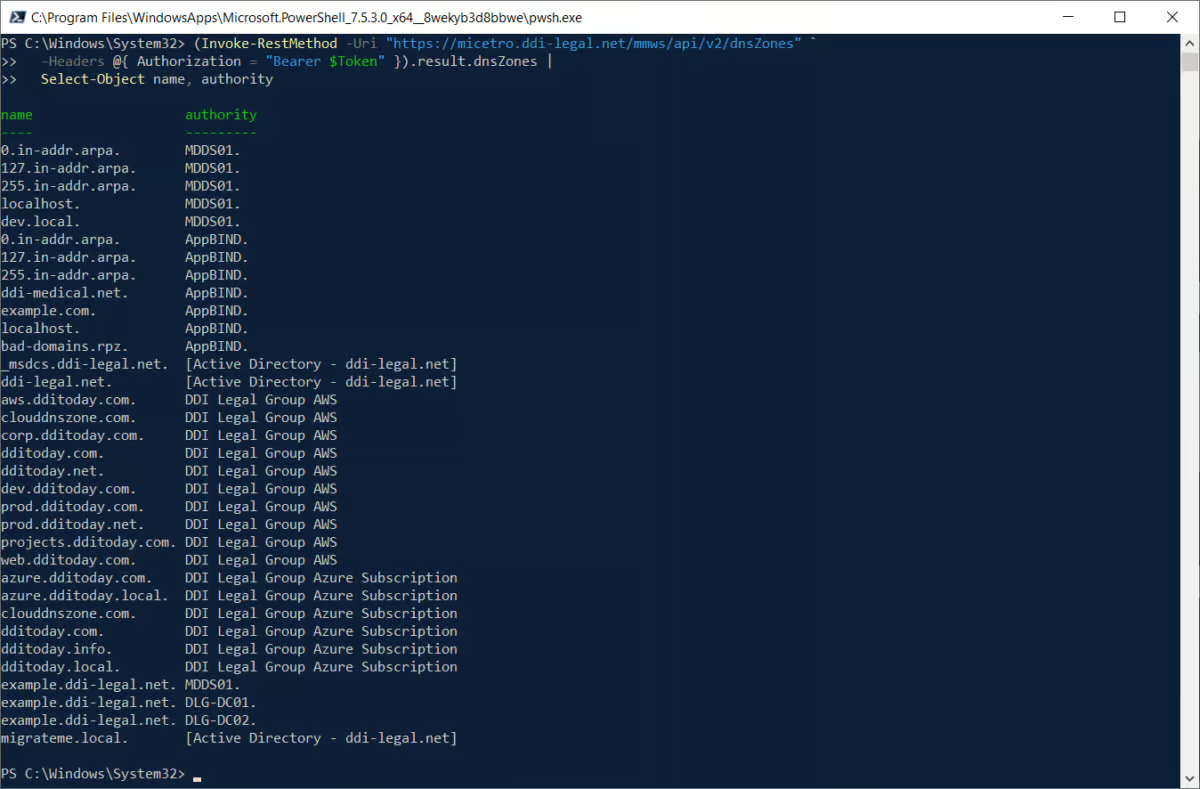
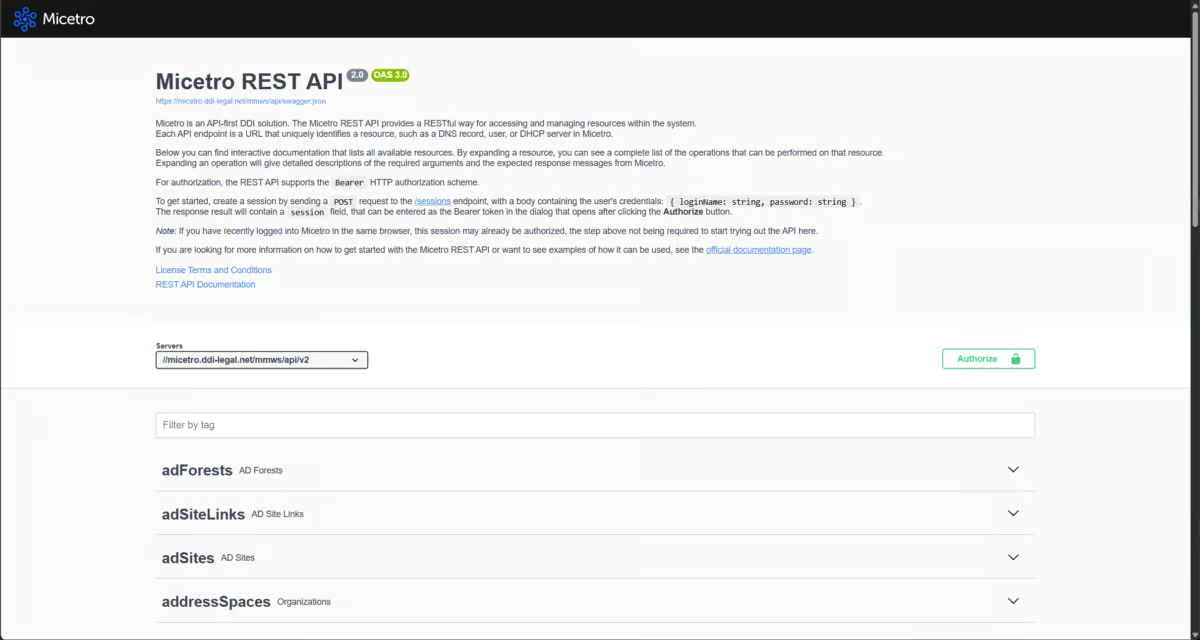
[34:29] – Andrew Wertkin: Yeah. No, it’s interesting, because like most software vendors today, one of the things we produce is MCP servers for our back-end products, and we have several back-end products. And I think, like a lot of vendors out there, initially that was just, “Okay, let’s wrap up our OpenAPI tools in this new protocol and we’ll just expose that, and the LLM will figure it out.” And you realize pretty quickly that that’s not the right approach at all. You’re just going to waste a ton of tokens. There’s going to be a ton of guesswork. You just sit there watching the LLM guess and guess and guess.
[35:03] – Andrew Wertkin: Yes, an LLM can pretty quickly figure out how to use a REST API, and if it’s wrapped in MCP tools, even faster. But that doesn’t mean it understands your domain. And yes, the frontier models especially have been trained on not just your domain; they probably understand more about your product than you might realize.
[35:33] – Andrew Wertkin: But part of what we deliver is not just tools that are more domain-specific than an OpenAPI. It’s having more conversation between the MCP server and our back-end server than the LLM sees. Take a packet capture, for example: there’s no reason to send the LLM a 20-megabyte packet capture. That ain’t going to do anything. Or to send it a whole time series that you should be sending to ML, not to AI. So how do I get it the data it needs? Summarized data, maybe even opinionated data, because we know our systems well, so with sort of opinions built in.
[36:15] – Andrew Wertkin: What does the LLM need to answer the user’s question, which might have been, “Why doesn’t this work?” Think through that stuff, as opposed to just… I’d use the word lazy, but naive is the better word. It’s naive just to assume the LLM will figure this stuff out well, especially if you want this stuff to be remotely repeatable. So yes, we do that, but it’s way more than that.
[36:39] – Andrew Wertkin: Now, we just went through the software development stuff, and our customers can now pump out tons of automation scripts and otherwise against our products. Super. How do we encode the best practices for doing that, so our customers don’t automate themselves into downtime? So that they know. And that comes out in things like network advisors and other things, whether through prompts or specific code or capabilities or training material, that help our customers succeed at automation. Because in our industry, on the DDI side of our industry, in the world of DNS and IPAM especially, the tailwind of this industry has always been automation. You have to change this stuff faster. And so we want our customers to be successful.
[37:30] – Andrew Wertkin: It pains us. We had a customer a few years ago, well before LLMs, and this goes back to an example of the harm that can happen if there are no processes around the way you develop software. They were sort of teaching themselves how to script against our product, and they had an administrative user. They wrote a script, went to test it, and deleted the entire DNS environment inside this company, which immediately locked them out of systems. Active Directory was down, and they were using that for LDAP, and yada yada yada. Glass had to break.
[38:05] – Andrew Wertkin: And they’re sitting there, and I can imagine. I’ve had that experience before. I think once in university I wrote an endless loop in an application running on an old IBM PC, where you couldn’t Control-C. Three hours of work, and the only thing I could do was reboot the computer. That’s one of several examples, some of them professional, of that sort of sinking feeling of “oh crap.” [laughter] Yeah. And I can imagine what was going through that guy’s head.
[38:42] – Andrew Wertkin: And so, yeah, obviously that’s an extreme example, but my point is, we always get asked in software development about metrics and measurements, and somebody always goes, “Well, you guys just use lines of code or something,” and that’s like…
[39:00] – Scott Robohn: That’s right. Yeah. The idea, for anybody in software engineering, that the number of lines of code they wrote, the more the better, is an appropriate metric is insanity.
[39:13] – Andrew Wertkin: Right. So we don’t do that, and nobody suggests it. But my point is, when you start thinking about the right metrics, certainly in the world of SaaS, but now also in the world of these scripts, it’s not just about that. The question is, did it work the way we expected it to? Was this a successful automation? Right? And what did we learn from what didn’t succeed, and how do we bring that back in and do a feedback loop? I mean, the fewer lines of code to solve a problem, the better, but mostly: did it actually solve the problem?
[39:52] – Scott Robohn: Well, and going to fewest lines of code as the other metric could cause other problems, right? And again, one of the things I’m really jazzed about in this whole environment and conversation is that the art of specifying our constraints is becoming much more important, probably more than it ever has been in our careers, right? We’ve got power tools. Where are we going to put the right blade guards on, and the grounding plug? My grandfather made power tools for Porter-Cable, and I actually have some of his old prototypes that I would never use to build a deck, because there are pieces missing that keep me from losing digits.
[40:27] – Andrew Wertkin: Right. Yeah.
[40:27] – Scott Robohn: So the systems thinking, and there’s tribal knowledge somebody else is going to…
[40:34] – Andrew Wertkin: [laughter] For sure.
[40:40] – Scott Robohn: John, this could go so many ways. Where do you want to take this?
[40:40] – John Burke: Well, I think just to round it out, I want to follow through on this idea that folks in the business now need to be thinking about their software portfolio as power tools that will ultimately be wielded by robot hands, not human hands, and how that’s going to change the enterprise software landscape. We’ve talked a bit about how it changes process inside the enterprise for using it, but what about the rest of it? Does it change licensing? How else does it change things?
[41:18] – Andrew Wertkin: For sure. I think part of it is what you’ve seen in the stock market, and in the private markets in general, with the devaluation of some software companies, which, well, we all should know the stock market is its own thing.
[41:33] – John Burke: Yeah.
[41:41] – Andrew Wertkin: But outside of that, for sure it’s going to change licensing models. If your licensing model is just based on per user, and I’m not saying that’s because everybody’s going to fire everybody, I’m just going to say, okay, what’s an agent? Is an agent a user? Companies are going to have to figure out what the right metric is going to be. A lot of companies are switching to, okay, it’s going to be credits, and the real value is how much you’ve pushed through this LLM. But enterprises don’t like surprising bills every month.
[42:20] – Andrew Wertkin: They like consistency. And I think early on, especially the LLM companies themselves, or the AI companies themselves, are obviously very focused on an opaque, credit-type model where we all know the price is going to keep going up and up. We won’t be able to do that. Networking vendors won’t be able to go in there and say, “Oh, sorry, your bill this month is twice as much, because we’ve changed the ratio between credit and token. And by the way, we improved our stuff, so it’s better, so you’re going to pay more.” It doesn’t work that way in our world. So yes, I think licensing models are going to have to change.
[42:57] – Andrew Wertkin: But it’s so much more than that. You know how we always go back and forth between platform and best of breed, platform and best of breed? I think we’re going to be heading back towards best of breed, because interoperability between different products has become much simpler to solve, especially with things like MCP. I don’t necessarily think I need a specific integration to ITSM systems anymore, because all the ITSM systems have the ability to speak MCP.
[43:43] – Andrew Wertkin: That makes picking between a platform and best of breed easier. So in certain areas, it’s going to be disruptive to businesses whose only goal was to put as much stuff in their platform as possible, and nobody would be able to compete with them. That’s going to change, and I think… Should I launch into this?
[44:05] – John Burke: Yeah.
[44:05] – Andrew Wertkin: I’ll do the 60-second… the 30-second version.
[44:10] – Scott Robohn: 30 seconds. Yeah.
[44:10] – Andrew Wertkin: Yeah. It used to be that in the world of big, ugly central systems that nobody could change, like the big ERP systems, companies would say in their earnings reports, “We missed it this quarter because of a bad upgrade to this massive internal system.”
[44:29] – John Burke: That wasn’t that long ago.
[44:29] – Andrew Wertkin: Yeah, that wasn’t that long ago. And that was the whole Salesforce marketing campaign initially, with the “no software” and “we’ve got that for you” and all this greatness about SaaS.
[44:40] – Andrew Wertkin: In that world, how those systems started getting disrupted was all these new companies bringing SaaS-based systems that were easy to use. The big systems were still the system of record, but here’s this new system of engagement for HR, for travel management, for purchasing, for whatever part of that system. And then of course the large companies in that space would just go buy those companies, one after the next after the next after the next. To some extent, I’m not quite sure acquisition is going to happen; there’s going to be way too much to acquire. You’re going to see a lot of companies coming up with system-of-engagement-like value propositions for existing platforms out there, to slowly start taking user engagement or system engagement away.
[45:28] – Andrew Wertkin: And that’s going to happen way faster than it did with travel management and goals on the HR side, or purchasing, or whatever these systems of engagement were that started doing this to large internal systems. So in a world where it’s simpler to disrupt, or at least do better, a small part of an existing platform, with the integration almost laid out for you, I think that’s going to drive us back to best of breed.
[45:54] – John Burke: And I can even envision taking it really far down that path. Only the AIs that work for us really understand what the software portfolio currently is, because a new service pops up and they see that it can do half of what they need to do in functional area X better, faster, cheaper. So now I’ve got two things in that area, and the AI is the one managing which work goes to which one. It’s like a redundant array of software vendors kind of approach. I’ll just arbitrage wherever it works best against the criteria that my AI understands matter the most to me: saving time, saving money, better performance, whatever.
[46:36] – Scott Robohn: Yeah. Interesting.
[46:42] – Andrew Wertkin: Yeah. Because go to some expo floor in tech these days, especially in networking, but pretty much any tech-related area, and you’re going to see company after company after company selling their platform for AI. No matter where they came from, they now have a platform for AI that’s going to be multi-vendor. Why not? Everybody’s got MCP servers. So what are you going to have as an enterprise? Multiple platforms for agentic operations? A single platform? One meta agent that manages a bunch of other agent platforms? What if I put the wrong one here, and how quickly can I change?
[47:25] – Andrew Wertkin: And seemingly, and I don’t understand this part because it’s not the way I work, people do have easy bias as well: “Oh, yeah, they said they can handle this all for me, so I’m just going to buy that.” And it comes down to this theme. It’s funny, earlier I gave a real example: I had never written an eBPF in-kernel-space high-speed logger, and now I have. I still couldn’t write one. I used that as an experiment: what if I follow this process in an area where I’m well aware of how the stuff works, but I’ve never actually written software there? What will I learn?
[48:05] – Andrew Wertkin: What I learned was how rapidly I can do something that I didn’t know how to do ahead of time. Just by establishing the things we were talking about before, like criteria and exit criteria and the things I’m concerned and worried about, I have something that works. I don’t know if it’s the best way to solve the problem I started with. All I know is it’s maintainable code that works. I mean, I know more than that: it’s really well documented. So I guess my point is, people still need to learn this stuff, to bring that experience forward.
[48:48] – Andrew Wertkin: And as much as I appreciate this technology, that’s my biggest fear. The worst mistakes always start when somebody believes they’re right, and people are either too intimidated, too starstruck, too awed, or just too lazy to question the person who for sure knows how to get something done. And the end result is things that could have been prevented that cause problems. We see that across everything from tech to social environments to everywhere else; groupthink, or…
[49:27] – Andrew Wertkin: But that’s what I rely on my experts for. Even if it sounds right to them, in fact, the more right it sounds to them, the less likely they are to take it at face value, because there must be something wrong with this. What is it? It’s a puzzle. These are engineers, in many cases. So as much as I appreciate the technology, use the technology, push forward with the tech and create value with the tech, there’s part of it that just makes me uncomfortable.
[50:12] – John Burke: A solidly cautionary note on which to end the conversation.
[50:12] – Andrew Wertkin: Yeah.
[50:18] – John Burke: Thank you, Andrew, for joining us today. This has been fantastically interesting, and there’s lots for the enterprise strategists to chew on as they think about how things go next in their IT shops. Scott, thank you so much for joining us today as well. And as always, thanks to everyone watching.












 Product video

 Podcast