
Edge Product Update: Navigation ease, Reduce Attack Surface, and Anycast Support
The latest DNS Edge product update is now here! This post summarizes all of the exciting new features contained in this new release. Check it out!



 Key takeawaysKey takeaways are generated with AI assistance. Because automated summaries can occasionally contain errors or miss important context, always refer to the full blog post for complete information.
The September 2018 release of BlueCat DNS Edge introduces UI navigation enhancements, new policy controls to reduce DNS attack surface, and native Anycast support for BGP and OSPF. The update improves operators' ability to investigate DNS log spikes with an interactive dashboard, hyperlinked details panels, and easy lookup tools to view and act on related policies and components. By enabling restrictive source-IP policy controls and Anycast visibility, Edge helps organizations limit DNS access to sensitive data, detect blocked or malicious attempts, and improve response latency and service availability.
How do the UI enhancements in the September 2018 Edge release help operators investigate DNS anomalies?
The September 2018 Edge release adds interactive capabilities to the homepage dashboard so operators can highlight spikes of DNS activity and have Edge auto-populate a search command to expose just those queries. The details panel for a selected DNS request is organized with tabbed views and hyperlinked policy components, enabling right-click opening of components in separate browser tabs. These lookup tools let operators quickly view related policies and components, drill into query and response data, and make immediate updates to reduce time-to-investigation and remediation.
What policy control features are included to reduce the DNS attack surface and how do they impact security operations?
Edge September 2018 introduces policy control that restricts access to sensitive data by allowing only a defined set of privileged source IP addresses to query protected DNS records. Administrators can block all other sources, effectively preventing DNS access to intellectual property, financial records, PII, or patient data and thereby reducing the digital attack surface. Review of blocked-attempt logs within Edge helps surface potentially malicious activity or compromised systems, and operators can investigate surrounding DNS activity from external threat systems using Edge’s visibility and correlation features.
What does Anycast support in Edge provide and how does it integrate with visibility and policy control?
Edge now natively supports Anycast for BGP and OSPF, which enables organizations to optimize response latency and improve service availability through distributed routing. With Anycast enabled, Edge provides real-time visibility of both internal and external DNS requests, correlating originating IP addresses with queries and responses. This integration allows customers to apply Edge’s policy controls to limit access and protect against DNS-based attack vectors while benefiting from improved user experience due to faster, more available DNS resolution.
BlueCat is proud to introduce enhancements to BlueCat DNS Edge™ (Edge). The September 2018 release of Edge introduces easier navigation, new policy control to reduce attack surface, and Anycast support.
Easier Navigation with UI Enhancements
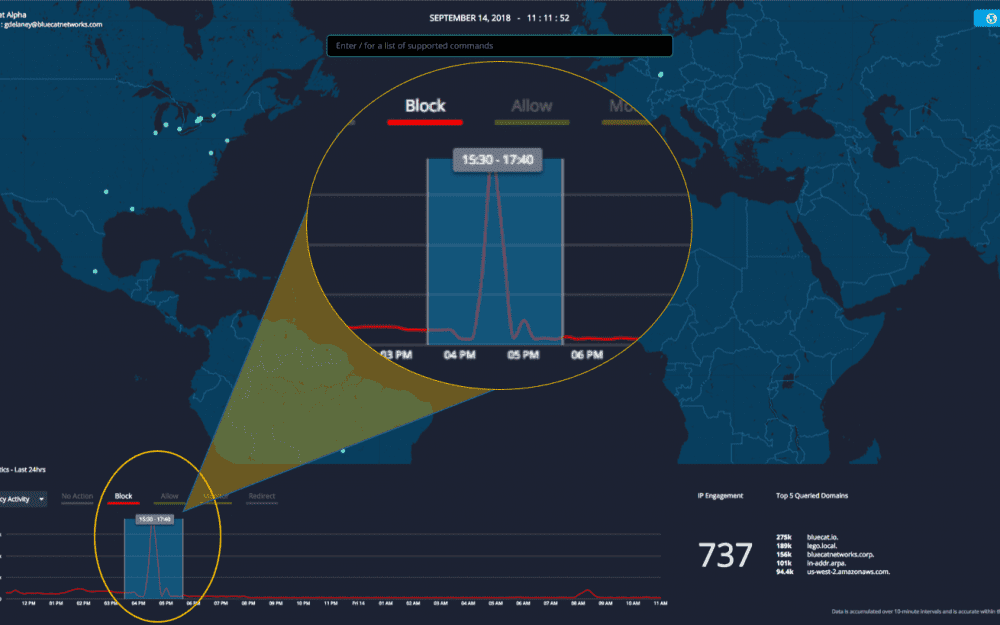
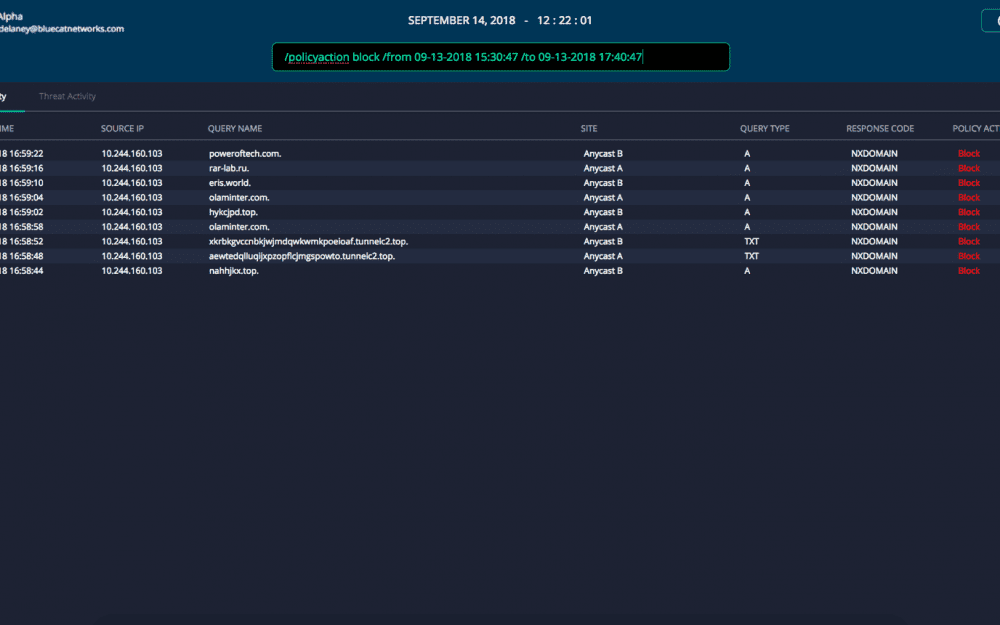
Domain Name System (DNS) records can generate a lot of log data. With Edge you now can more easily identify and take action on anomalies. The Edge September 2018 release makes it easy to investigate a spike of DNS activity with interactive capabilities added to the homepage dashboard. Simply highlight peaks of interest and Edge will auto-populate a search command to expose just those queries for further review.
Operators can take DNS queries under the microscope with this panel and easy lookup tool. You can investigate and Identify related policy details or components that are now hyperlinked. These panel views are organized as tabs in the view panel on a selected DNS request. Simply right-click on a hyperlink to open a new session on that component in a separate browser tab.
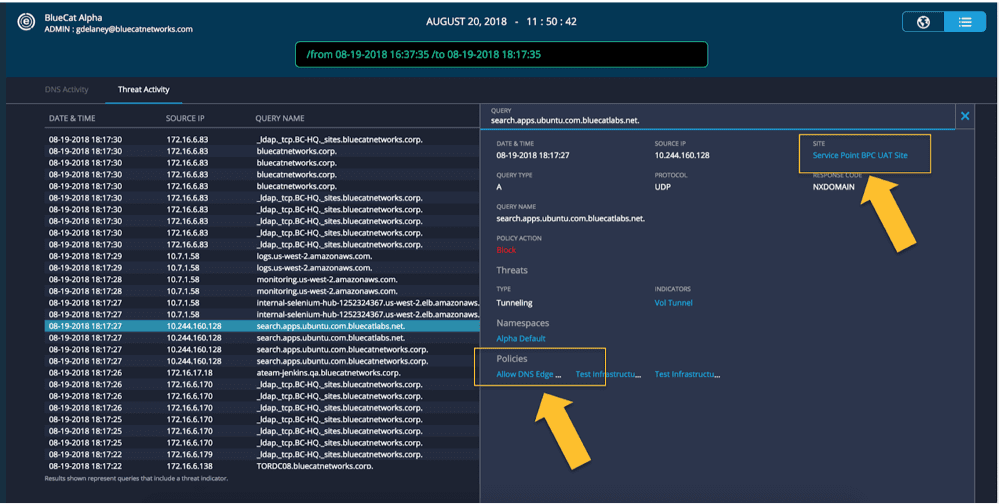
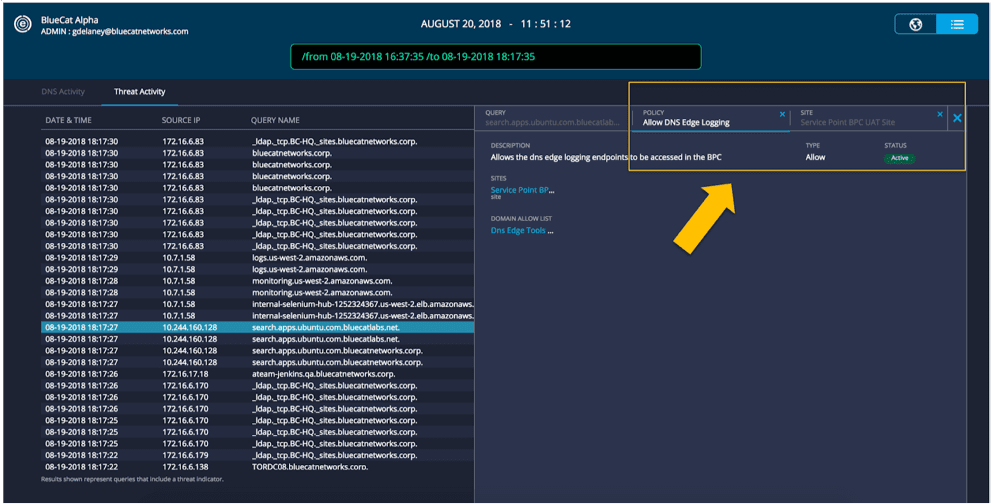
With quick access to related policies and other information, the details panel becomes a lookup tool. An operator can quickly view details and make immediate updates.
Reduce attack surface with Policy Control: Protect against DNS attacks on protected data
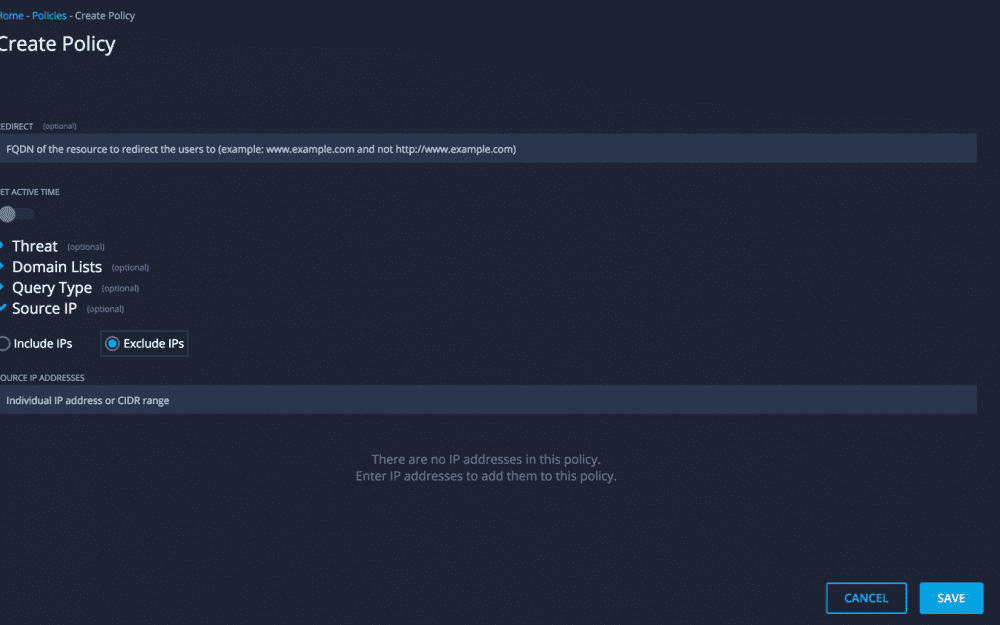
To protect data, it requires layering security controls and needs to include the DNS protocol. Edge limits access to data like intellectual property, finance or personally identifiable information, and patient data. Only a set of privileged source IP addresses can access such sensitive data.
The Edge September 2018 release makes it possible to block all access except for defined sources on your network. You can reduce your digital attack surface and bolster your organization’s overall security posture. Largely by preventing DNS access to data, operating systems, or services you care most about.
Reviewing DNS logs within Edge of blocked attempts indicates potentially malicious activity from bad actors or compromised systems. Edge can be used to investigate surrounding DNS activity from external threat systems.
Anycast Support
Edge, as part of your DNS infrastructure, now natively supports Anycast for Border Gateway Protocol (BGP) and Open Shortest Path First (OSPF) protocols. Organizations using Anycast are afforded optimized response latency and improved service availability. Thereby boosting user experience; now supported with the Edge September 2018 release.
With Edge, Anycast customers gain real-time visibility of DNS activity and policy control. Allowing customers to limit access and protect against DNS-based attack vectors. Edge provides visibility of both internal and external DNS requests, correlating originating IP address, query and response.
Learn more about Edge and the new September 2018 release updates.
Published in:

Mark is a Senior Product Marketing Manager at BlueCat Networks.
Related content

Get answers from the LiveNX data you already have with LiveAssist
Learn how LiveAssist, the AI-powered add-on for LiveNX, turns your network data into fast, guided answers, with value you can see in days.


LiveWire GEN3 device offerings
BlueCat LiveWire is a packet capture and network forensics platform that provides deep packet-level visibility across hybrid enterprise environments to help…

Get total control of your DDI infrastructure with Micetro’s unified API
Stop juggling between network tools and use Micetro’s RESTful API for complete control over your DDI infrastructure and cloud environment.

BlueCat MCP servers bring network intelligence to your AI assistant
Our MCP servers provide a standard integration layer that makes it easy to connect the AI tools you already use to BlueCat products.