
Manifest V3 doubts? Try a DNS-based solution
Learn how Google Manifest V3 changes may impact anti-tracking and ad blockers and how a DNS solution might be a better option for your enterprise network.



 Key takeawaysKey takeaways are generated with AI assistance. Because automated summaries can occasionally contain errors or miss important context, always refer to the full blog post for complete information.
The article examines Google’s Manifest V3 changes to Chrome extensions—its timeline, technical shifts, and implications for enterprise security and privacy—focusing on impacts to ad-blocking and anti-tracking extensions. It explains that V3 replaces webRequest blocking with declarativeNetRequest (capped at 30,000 rules), requires submission of extension code through Google’s store, and may force enterprises to reconsider browser choice or adopt alternative network controls. As a practical enterprise alternative, the article recommends blocking undesired traffic at the DNS level using centralized policies and highlights BlueCat Edge dynamic feeds as a scalable, enterprise-grade option to manage ad and tracking traffic.
What are the main technical changes in Manifest V3 that affect ad blockers and anti-tracking extensions?
Manifest V3 removes webRequest API calls used to block HTTP requests and requires extensions that implement request blocking to use declarativeNetRequest instead. DeclarativeNetRequest enforces a hard limit of 30,000 rules, whereas webRequest in Manifest V2 had no such rule limit. V3 also restricts execution of remotely hosted code and requires extension code submitted through Google’s official store, which together change how extensions inspect and modify requests and increase review requirements for published extensions.
Why might Manifest V3 be problematic for enterprises relying on existing content-blocking extensions?
Enterprises face several issues: the 30,000-rule limit for declarativeNetRequest can prevent wide-spectrum blockers (for example, EasyList alone can reach that limit), reducing effectiveness of blockers like uBlock Origin that rely on many rule lists. Requiring store submission and review limits distribution of fully functional open-source or custom extensions; organizations that sideload developer-mode extensions to retain functionality expose themselves to unvetted code and security risk. Additionally, Chrome’s market dominance and potential cross-browser adoption of V3 design choices complicate enterprise migration strategies.
How can enterprises mitigate ad and tracking traffic without relying on browser extension blockers?
Enterprises can manage undesired ad and tracking traffic at the DNS level by applying centralized DNS policies that block domains organization-wide. While DNS-level blocking sacrifices some granularity—making it harder to target only ads when ads and content share a domain—it enables consistent, scalable control across managed browsers. The article recommends using BlueCat Edge dynamic feeds to synchronize domain lists (including EasyList or custom lists) as an enterprise-grade solution that scales better than personal tools like Pi-hole and can be configured by Edge subscribers through support channels.
Google claims that the newest version of its Chrome extension platform, Manifest Version 3 (V3), will be more secure, performant, and private than ever.
An extension manifest serves a valuable purpose: It gives a web browser information about an extension, such as key files and capabilities that it might use. According to Google, Manifest V3 represents one of the most significant shifts in the platform since it launched a decade ago.
But Google’s claims have also raised concerns about whether Manifest V3 really improves network privacy and security. Some see an evident conflict of interest between Google as an advertising giant and its Chrome web browser as a user agent.
This post will first touch on the timeline and major changes anticipated for Manifest V3. Then, it will examine what these changes could mean—good or not so good—in the context of your enterprise, particularly for anti-tracking and ad blockers. Finally, it will explore the challenges of merely switching to a different browser and how applying a DNS-based solution might be a better option.
Manifest V3 migration plans
January 2024 was the slated expiration date for Manifest V2 enterprise policy. However, Google has postponed experiments to turn off Manifest V2 and put deprecation timelines under review.
With its expiration, Google’s web store will purge all V2 extensions—including the major ad and tracking blockers. Furthermore, Chrome will no longer run extensions that are not V3 compliant, even those installed with ExtensionInstallForcelist. Certainly, Google could change their plans for V3 during this review process. But assuming they don’t, enterprises using Chrome browsers must confront some hard facts about the security and privacy of their networks.
What Manifest V3 could mean for anti-tracking and ad blocking
Let’s start with the positives. Manifest V3 can protect users from potentially malicious extensions. Most developers would likely agree that blocking the execution of remotely hosted code and arbitrary strings is an overall win from a privacy and security standpoint.
Unfortunately, many of the other changes involve tradeoffs that may result in worse experiences for users and extension developers. Perhaps the most contentious change is the removal of webRequest API calls aimed at blocking HTTP requests. Substantial impacts are expected to the functionality of anti-tracking and ad-blocking extensions by limiting their ability to inspect and modify requests.
A 30,000-rule limit
Moving forward, Chrome browser extensions implementing request blocking functionality will be forced to use declarativeNetRequest instead of the current webRequest present in Manifest V2. This is problematic because there is a 30,000-rule limit for declarativeNetRequest. Meanwhile, there is no such limit to blocking requests using V2’s webRequest.
For context, EasyList alone includes enough rules to hit this limit. But the most effective wide-spectrum content blockers—such as uBlock Origin—require many more domain lists and rulesets to ensure their effectiveness.
Causing more problems than it solves
The ugly truth is that this may cause more problems than it solves. A requirement to submit all extension code for review with V3 can arguably better protect users from malicious extensions. But this only applies if V3-compliant extensions are submitted through Google’s official store.
In practice, those who are determined to subvert advertisements and third-party trackers endemic to many modern web applications typically toggle on developer mode to load up external extensions. But these extensions may be from less-than-reputable sources. And they have the potential to harbor malicious or otherwise insecure code as they avoid Google’s review process. This is, to some extent, a problem that already exists with V2. But the accessibility of fully functional open-source blockers such as uBlock Origin and Ghostery currently mitigates it.
V3 may exacerbate this issue, especially if the impacts to the functionality of these tools are as extensive as expected. Relying on unvetted sources can expose enterprises to a host of security threats.
To avoid Manifest v3, why not just switch browsers?
If you want to keep ad-blocking and anti-tracking functionality, why not simply switch browsers?
In short, many people probably will, but the long story is a bit more nuanced. Switching to another browser may prove to be an effective solution for personal use. But this approach is not necessarily trivial in the context of enterprises, which manage browsers organizationally. Chrome has enjoyed the largest market share of any web browser since it took the top spot in 2012. As a result of this success, it has become entrenched in many enterprises.
Even if your organization chooses to shift away from Chrome, V3 will likely impact other browsers’ design choices to maintain compatibility. Currently, Edge and Safari have confirmed support for V3. Firefox, Brave, and Vivaldi will additionally maintain support for V2-style blocking requests in some capacity.
Block undesired traffic using DNS policy instead
But even outside of switching browsers, all hope is not yet lost.
You can manage and block a substantial amount of ad and third-party tracking traffic at the DNS level. However, this can come at the cost of granularity. For example, it is more straightforward to enact a policy blocking all of youtube.com than it is to target only YouTube’s ads with blocking policies. This especially true in instances where the ad and video share a common source. However, this can be problematic. Categorically blocking a domain may, depending on the situation, be undesirable for the organization, end users, or both.
Overall, if they can handle the complexities effectively, creating consistent, centralized policies to manage network traffic at the organizational level can be a boon to enterprises.
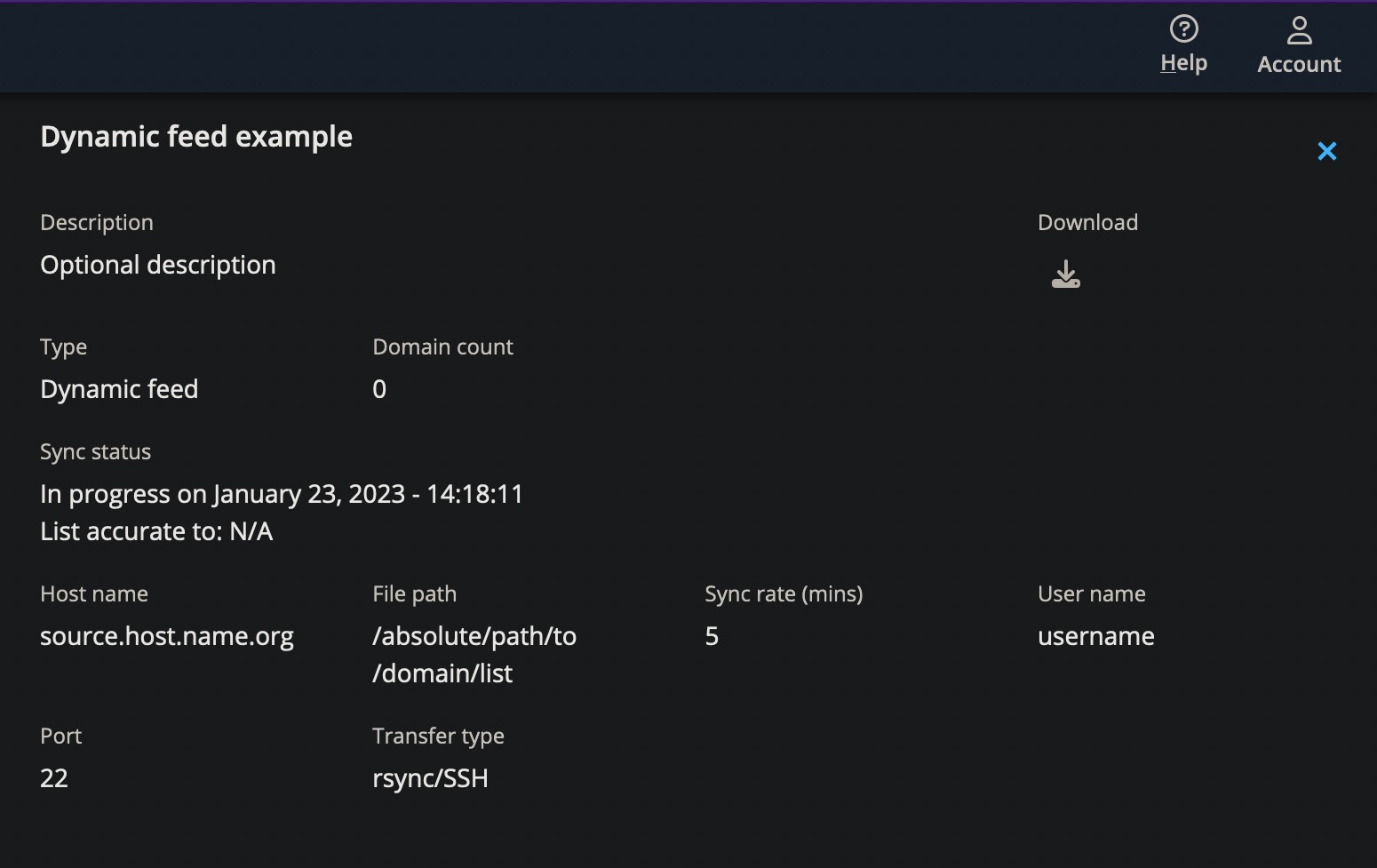
Indeed, you can configure a domain list in Edge as a dynamic feed to synchronize with a hosted domain list file. This feature can filter out ad and tracking traffic according to popular lists like EasyList and Peter Lowe’s Blocklist. Or it can filter using a custom solution that your organization curates.
Did you know that BlueCat Edge can help your enterprise to block undesired traffic at the DNS level?
Edge dynamic feeds are not the tool for managing ad traffic at the DNS level. Solutions like Pi-hole can be wonderful for personal use.
But nothing else measures up to the robust functionality that Edge delivers. Purpose-built and battle-tested, Edge can scale to fit the needs of your enterprise. Give dynamic feeds a try, especially if you are already an Edge subscriber. We would love to hear about your experience with it!

Contact your BlueCat customer support manager or account executive or visit BlueCat Support today to learn how you can set up dynamic feeds in Edge.
Published in:

Jordan Silke is a Data Analyst Developer at BlueCat. He is a lifelong learner interested in the latest trends and technologies in networking and is constantly seeking out new challenges and opportunities for professional development.
Related content

Get answers from the LiveNX data you already have with LiveAssist
Learn how LiveAssist, the AI-powered add-on for LiveNX, turns your network data into fast, guided answers, with value you can see in days.

Get total control of your DDI infrastructure with Micetro’s unified API
Stop juggling between network tools and use Micetro’s RESTful API for complete control over your DDI infrastructure and cloud environment.

BlueCat MCP servers bring network intelligence to your AI assistant
Our MCP servers provide a standard integration layer that makes it easy to connect the AI tools you already use to BlueCat products.

We bet on Intelligent NetOps two years ago. Infoblox now has too.
With Infoblox acquiring Kentik, BlueCat’s CEO confirms its vision for a single platform unifying DDI, network monitoring, and observability.