DNS glossary

What is TTL (Time to Live)?

Abstract isometric UI showing network ranges, usage bars, region names (EMEA/APAC), and a purple "Deploy" button
Key takeawaysKey takeaways are generated with AI assistance. Because automated summaries can occasionally contain errors or miss important context, always refer to the full blog post for complete information.

DNS TTL (Time to Live) is a configurable value in seconds that controls how long resolvers cache DNS responses before querying the authoritative server again, with the resolver returning the remaining seconds rather than the original value as the record ages in cache. TTL represents a fundamental trade-off between performance and agility: longer values reduce query load on authoritative servers and improve lookup speed at scale, while shorter values enable faster propagation of record changes but increase server load and dependency on authoritative availability. Common operational challenges include planning failures where changes are made without accounting for cached TTL duration, lowering TTL too late to take effect before migrations, and resolver-level overrides that cause behavior to diverge from published zone configuration.

  • DNS TTL is defined in RFC 1035 as an unsigned 32-bit value with a maximum of 2,147,483,647 seconds, and administrators must coordinate TTL reduction at least one full TTL period before planned migrations or failover events to ensure timely propagation.
  • Negative answers such as NXDOMAIN responses are cached according to the SOA record timeout rules specified in RFC 2308, extending the caching mechanism beyond positive answers to cover nonexistent domain names.
  • Caching resolvers at multiple layers including operating systems, browsers, and forwarding resolvers each apply their own countdown and may enforce minimum or maximum TTL limits that override published zone values, requiring engineers to verify resolver configuration when observed behavior differs from expected propagation timing.

DNS TTL at a glance

AttributeValue
Full nameTime to Live
CategoryDNS record field
Defined inRFC 1035, with caching behavior clarified in RFC 2181
Primary useControlling how long resolvers cache DNS answers
Related termsRecursive resolver, DNS caching, Negative caching, SOA record, Propagation

How DNS TTL works

Every DNS resource record carries a TTL value in seconds, set by the administrator of the authoritative zone. Resolvers use that value to decide how long a stored answer remains valid.

  1. Authoritative answer: A recursive resolver queries the authoritative server, which returns the record along with its configured TTL, for example 3600 seconds.
  2. Cache storage: The resolver stores the record and starts counting the TTL down from its original value.
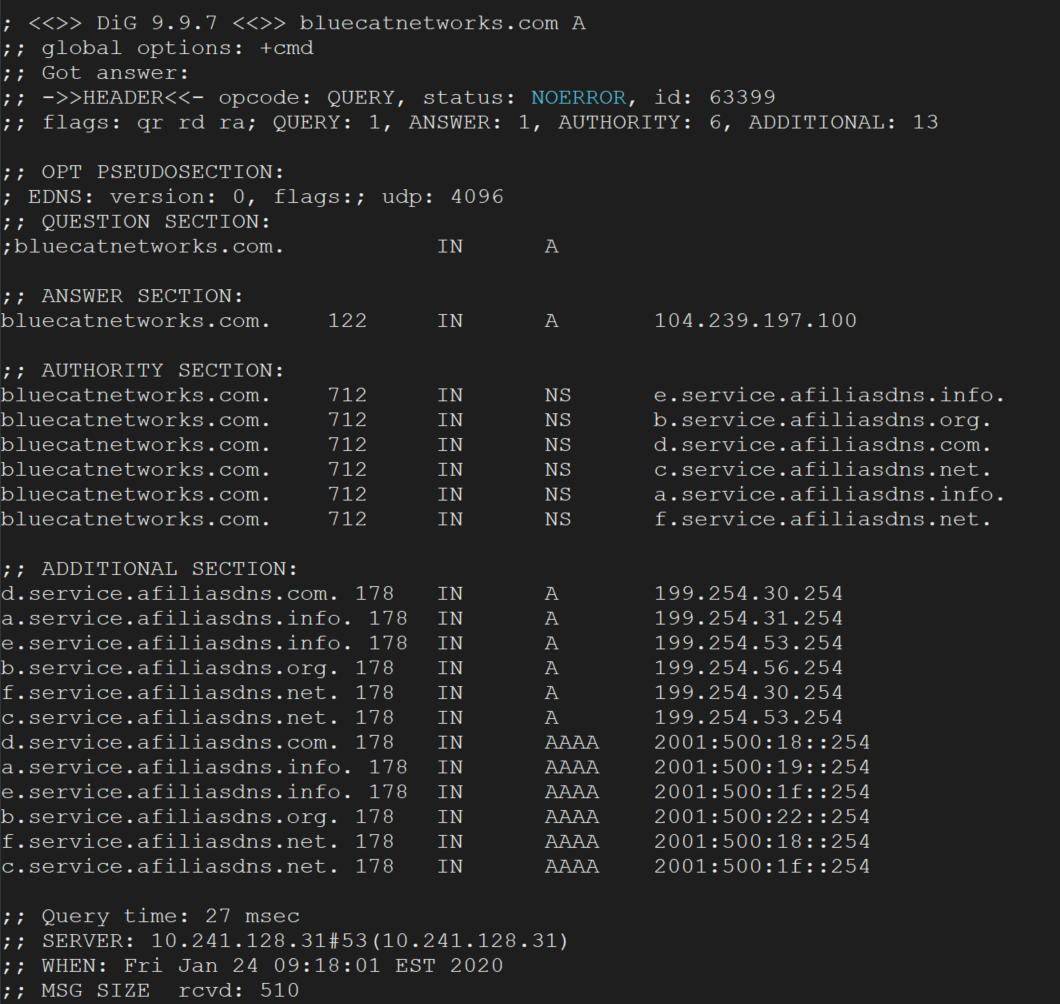
  3. Cache hits: While the TTL remains above zero, the resolver answers matching client queries from its cache. The TTL in each reply shows the seconds remaining, not the original value.
  4. Expiry: When the TTL reaches zero, the resolver removes the record from the cache.
  5. Refresh: The next matching query makes the resolver ask the authoritative server again, which restores the full TTL.

Caches at several layers, such as the operating system, browser and forwarding resolvers, each apply their own countdown, so a change can take longer than one TTL to be seen everywhere. Negative answers, such as nonexistent names, are also cached, with their lifetime governed by the SOA record as described in RFC 2308. Some resolvers apply minimum or maximum limits that override the published TTL.

Why DNS TTL matters in enterprise networks

TTL is a trade-off between speed and agility. Long values reduce query volume to authoritative servers and lower lookup latency for users, which matters at the scale of large resolvers handling millions of queries. Short values let changes take effect sooner but increase load and make the service more dependent on authoritative server availability.

The most common operational problem is a change made without planning for the cached TTL. If a record has a TTL of 86400 seconds and its address is changed, resolvers that cached it may keep returning the old address for up to a day. Teams that plan migrations or failover usually lower the TTL well before the change, then raise it again afterward. Setting very low TTLs permanently can overload authoritative servers and slow lookups.

TTL also affects security and resilience. Long TTLs can keep clients pointed at a compromised or retired address after a fix is made, while they also let cached answers continue to serve users during a short authoritative outage. RFC 2181 specifies that TTL is an unsigned 32-bit value limited to a maximum of 2147483647 seconds, and with DNSSEC, signature validity periods must be considered alongside record TTLs.

Common DNS TTL issues

A record is changed but some clients keep reaching the old address until cached copies expire. The cause is usually a long TTL left in place at the time of the change, and the delay can last as long as the old TTL.

An administrator shortens the TTL on the day of a migration and expects an immediate effect. Resolvers that cached the record under the old value still hold it for up to the old TTL, so the reduction must be made at least one old TTL period before the change.

Very low values such as a few seconds raise query volume to authoritative servers and add lookup latency. During an authoritative outage, resolvers have little cached data to fall back on, so the failure reaches users quickly.

Records in the same set, such as multiple A records for one name, are expected to share one TTL. Mismatched values can cause resolvers to behave unpredictably and make troubleshooting harder, because the answers diverge as caches expire at different times.

Some caching resolvers apply minimum or maximum TTL limits, so observed behavior differs from the zone configuration. Engineers see old data persisting beyond the published TTL, or a record refreshing earlier than expected, and must check resolver settings as well as the zone.

See how unified DDI simplifies network operations

Manage DNS, DHCP and IP addresses from one platform with automation, visibility and control built in.

DNS TTL FAQ

Related terms

Article

Caching DNS server

A server that handles recursive requests from clients.

Learn more
Article

Recursive DNS server

Responsible for providing the proper IP address of the intended domain name to the requesting host; the first servers contacted as the result of a request.

Learn more
Article

DNS record

Tells servers precisely how to respond to a DNS query.

Learn more
Article

SOA record

A DNS record type that provides important details about a DNS zone; required for every DNS zone.

Learn more
Article

NXDOMAIN

DNS response code indicating the DNS query failed because the domain name queried does not exist.

Learn more
Article

DNS zone

A distinct, contiguous portion of the domain name space for which administrative responsibility has been delegated to a single manager.

Learn more
Article

Authoritative DNS server / Authoritative name server

Provides original and definitive answers to DNS queries.

Learn more
Article

DNS – Domain Name System

A hierarchical naming system that enables communication across devices in a network.

Learn more