IPv6 migrations stall on inventory, compliance testing, and dual-stack record keeping, not on the protocol itself. Teams that treat DNS, DHCP, and IPAM as one system and track readiness per network finish the job, and Micetro does that over existing servers.
· 01 — Why IPv6 migrations take years instead of quarters
Why do large organizations struggle to finish IPv6 migrations?
IPv6 migrations stall because of what has to change around the protocol, not because of the protocol.
Every IP address on the network has to be inventoried, tested for real compliance, and moved, and that inventory has grown faster than most migration plans assumed.
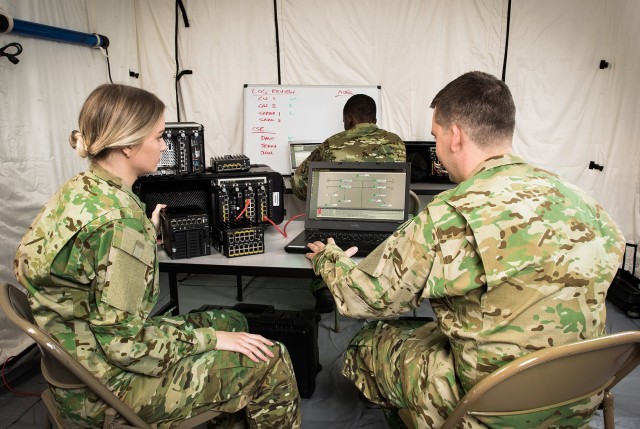
The GAO’s review of the U.S. Department of Defense shows the pattern at scale. DOD resolved to move to IPv6 in 2003. Seventeen years later, only one of its networks had fully transitioned, even after audits, Inspector General reviews, and legislative mandates. The point is not that DOD planned badly. The point is that the difficulty of IPv6 migrations is structural.
The work is detail-heavy and manual. Teams test connections, check that devices claiming IPv6 support hold up in production, and sometimes re-architect networks. Measured against daily operations and projects like cloud and SD-WAN, IPv6 looks high-effort and low-value, so it keeps getting pushed back. BlueCat’s lesson from transitions at this scale is that DNS, DHCP, and IPAM have to move together.
300M +IP addresses
300M + IP addresses
That is the reported number of IP addresses in use at the U.S. Department of Defense, the largest known estate in the world, and only one of its networks had fully moved to IPv6 after 17 years.
How difficult are IPv6 migrations? A recent GAO report on DOD's transition plan provides some sobering conclusions.
5 min·Blog
Read more →
· 02 — What changes when IPv6 runs beside IPv4
What are the practical differences between IPv4 and IPv6 for address planning?
The practical difference is scale and planning load.
IPv4 offers about 4.3 billion addresses and is exhausted, while IPv6 offers roughly 340 undecillion. That expansion removes NAT as a hard requirement but turns address planning, compatibility testing, and dual-stack management into real projects.
IANA ran out of free IPv4 space in 2011, and buying more on the secondary market is costly. Running out of addresses does not mean NAT disappears overnight, though. Many organizations will keep using it, and dual-stack becomes the default operating state. The IPv4 vs IPv6 comparison is really a question of how long both protocols have to be run side by side.
IPv6 brings its own operational risks. Long hexadecimal addresses invite manual entry errors, so automation and validation matter. IPv6 also has its own security considerations: limit self-generated addresses where appropriate, enforce allow lists and segmentation, and use stateful DHCPv6 when address assignments need to be traceable.
4.3 billionIPv4 addresses
4.3 billion IPv4 addresses
That is the entire IPv4 address space, and the free pool ran out in 2011, so every new address now comes from reuse, NAT, or the secondary market.
The transition to IPv6 is here. Learn more with BlueCat about the necessity of it, the timeline, and the numerous benefits and challenges of IPv4 vs IPv6.
9 min·Blog
Read more →
· 03 — Where IPv6 lands in DNS
What is an AAAA record, and how does it change DNS during a dual-stack rollout?
An AAAA record returns a host's IPv6 address for a DNS query, the same way an A record returns its IPv4 address.
During a dual-stack rollout, a host can carry both records, so every zone has to keep two address records accurate for the same name.
The name reflects size. An IPv6 address is 128 bits, four times the 32 bits of an IPv4 address, so the “A” for address is written four times. AAAA records live in a DNS zone on an authoritative server, either on the organization’s own network or at a hosting provider.
Checking a record takes a dig or nslookup query against the name. For google.com, an AAAA lookup returns an IPv6 address such as 2607:f8b0:4009:80a::200e. How the record gets created depends on the DNS management tool, which is why the tool becomes part of the migration plan.
· 04 — Why visibility tied to DNS and DHCP comes first
Why does an IPv6 migration need one view of DNS, DHCP, and IP data first?
One view of DNS, DHCP, and IP data replaces the manual stitching of spreadsheets, servers, and routers with a current picture of how addresses, records, and scopes relate.
For an IPv6 migration, that view is the inventory the plan depends on.
An Omdia technical validation found that 92% of organizations run distributed environments and 82% say their network is more complex than it was two years ago. In that setting, DDI data sits in silos, and keeping the relationships between records, scopes, and addresses correct by hand produces errors and gaps that undercut network availability.
Omdia observed what changes when that data is centralized. Records were edited in a single interface with change history, and a search for “10.29.2” in a zone of more than one million records returned 1,062 matches instantly. Subnet monitoring and PTR verification flags surfaced conflicts and utilization problems before users noticed them.
82%report more complexity
82% report more complexity
That share of organizations say their network environment is more complex than it was two years ago, which is the environment an IPv6 inventory has to be built in.
BlueCat Micetro centralizes and normalizes DDI data across on-premises, hybrid, and multicloud environments, providing a single source of truth for DNS,…
14 min·Blog
Read more →
Talk to a BlueCat expert about how IPv6 and dual-stack planning shows up in your environment. We work with hybrid Microsoft DNS estates, IT teams modernizing without rip-and-replace, and DDI consolidation programs that have to absorb IPv6 address space alongside what already runs.
· 05 — Governing change across a multi-year migration
How do teams keep DNS, DHCP, and IPAM changes governed while IPv6 rolls out over years?
Teams keep a long migration governed by putting one control layer over the DNS and DHCP servers they already run.
That layer enforces role-based access, logs every change, and moves zones and scopes with tooling instead of manual rebuilds.
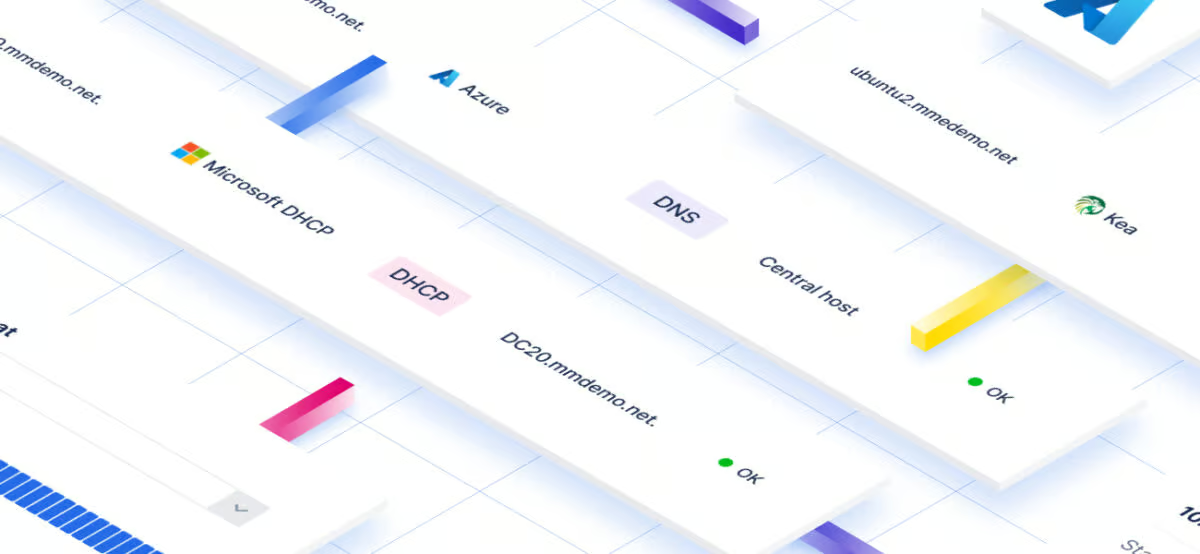
Most organizations run a mix of Windows Server, BIND, Kea, and Cisco DHCP, each with its own console and data model. An overlay model orchestrates those servers instead of replacing them, so a migration can move at the team’s pace. As one overview puts it, “Every transaction and configuration change is authenticated, logged, and auditable.”
Migration tooling matters as much as policy. A zone migration wizard moves DNS zones between servers with minimal downtime, and scope migration can preserve lease history even from offline servers. REST APIs and Ansible or Terraform integrations let teams script repeatable IPv6 changes, and approval workflows keep a full audit trail.
Today’s enterprise networks span data centers, cloud environments, and distributed edge systems. DNS, DHCP, and IP address management (together known as…
13 min·Blog
Read more →
· 06 — Evaluation criteria for IPv6-ready IPAM
What should teams look for in an IPAM approach for IPv6 and dual-stack planning?
Teams should look for IPAM that manages IPv6 in the same place as IPv4, works over existing DNS and DHCP servers, and supports safe delegation and automation.
Each criterion answers a failure mode that stalls migrations: inventory gaps, manual errors, and replacement projects nobody can staff.
Start with coverage. IPv6 has to be managed alongside IPv4 during a dual-stack or IPv6-only migration, not in a separate tool. The approach should handle overlapping address spaces after mergers and multiple directory forests, and it should sit over existing Microsoft and other DDI services so the migration does not become a forced re-architecture.
Then test delegation and automation. Granular role-based access should let local administrators update the records they own without broader rights. An API-first design, where anything done in the interface can also be done through the API, gives teams one automation surface for repeatable IPv6 changes instead of scripting against each server type separately.
Micetro is an overlay solution which helps you get extra life out of your current DNS, DHCP, and IP address management solutions.
1 min·Page
Read more →
· 07 — Running the migration network by network
How do network teams track IPv6 readiness and migrate network by network without replacing DNS and DHCP?
Network teams migrate by tracking IPv6 test and migration status on every range and device in IPAM, delegating checks to local administrators, and rolling status up the hierarchy.
Micetro supports this over the DNS and DHCP servers a team already runs, so IPv6 is enabled alongside IPv4 one network at a time.
The migrating to IPv6 with Micetro whitepaper starts with knowing the network. Micetro shows addresses found in A and AAAA records and DHCP scopes, imports static addresses from spreadsheets, and discovers undocumented addresses through router ARP data or ping. An “IPv6 Test Status” property field then marks each range and device, from test pending to ready for migration.
Fine-grained role-based access, with groups managed through the Microsoft directory, lets local administrators update status only for their own networks. A Workflow extension propagates status up the hierarchy, and a second field tracks migration pending, partially migrated, or fully IPv6-enabled. Teams typically enable IPv6 in the backbone first and expand outward to perimeter networks at their own pace.
With Micetro, integrate, orchestrate, and automate your current DNS, DHCP, and IPAM network infrastructure via a single web interface.
5 min·Page
View Micetro →
· 08 — Paths forward
Which IPv6 planning path is right for a team running dual-stack today?
The right path depends on how well a team knows its current address estate and how its DNS and DHCP servers are managed today. Most teams move through these paths in order. Some can skip ahead if their inventory is already reliable.
PATH 01
When IP data still lives in spreadsheets and separate server consoles
Build the inventory before the plan
Consolidate A and AAAA records, DHCP scopes, and discovered addresses into one view before setting migration dates. Undocumented addresses are where IPv6 schedules quietly fail.
When IPv4 and IPv6 records are maintained by hand across mixed servers
Govern dual-stack records centrally
Put role-based access, change history, and API-driven changes over the existing servers. This keeps A and AAAA records aligned and every change auditable through a long migration.
When the inventory is trustworthy and local administrators can share the work
Migrate network by network with tracked status
Mark test and migration status on every range and device, delegate checks locally, and roll status up the hierarchy. Enable IPv6 in the backbone first, then expand outward.
Short answers to the questions network teams ask most while planning DNS, DHCP, and IPAM for IPv6.
Test in a lab first, because devices that claim IPv6 compliance do not always behave that way in production. Then route production changes through approval workflows with full change history so each change is reviewed before it reaches live servers. Tracking a test status per network and device shows which segments have actually been validated.
IPv6 removes NAT as a hard requirement, because there are enough addresses for every device. Many organizations still keep NAT on the IPv4 side of a dual-stack network, which is one reason both protocols stay in use for years.
Start with an inventory built from A and AAAA records, DHCP scopes, imported static addresses, and network discovery. Then track an IPv6 test status on every range and device, from test pending to ready for migration, so readiness is visible network by network.
Yes, and during a migration they should be. Whether the target is dual-stack or IPv6-only, IPv4 still has to be managed alongside IPv6, so keeping both address spaces in one system keeps records, scopes, and allocations consistent.
No. Nearly every IPv6 deployment is dual-stack, so migration means enabling IPv6 alongside IPv4 rather than replacing it. Both protocols stay in use until IPv4 is no longer needed, which is why DNS and IPAM have to manage both together.
Use stateful DHCPv6 where tracking, traceability, and visibility of address assignments matter. Stateless autoconfiguration can leave IPAM without a record of which device holds which address. Many organizations limit self-generated addresses in segments that are under audit.
Yes. Micetro treats DNS, DHCP, and IPAM as one system and tracks readiness per network, and it does this over your existing servers. That means teams get unified management for IPv6 and dual-stack work without first swapping out the infrastructure underneath.
We’re using cookies on this website to improve your experience. Cookies help us learn how you interact with our website and remember you when you come back so we can tailor it to your interests.
To learn more about cookies and how we use them, read our cookie notice.
Some cookies are essential, while others help us to improve your experience by giving us insight into how you are using our website. You may adjust your preferences for non-essential cookies below.
To learn more about cookies and how we use them, read our cookie notice. You can also review our privacy policy for more details on the personal data we collect, use, hold, and disclose when you visit our website or use our products and services.
Functional cookies
Functional cookies are essential cookies that allow us to remember choices or changes you have made (such as to language settings or your choices regarding the use of cookies). These cookies cannot be turned off since they are essential for the operation of our Websites.
Analytics cookies
Analytics cookies are non-essential cookies that collect information on how visitors use our Websites. We use this information with your consent to measure the number of visitors to our Websites, determine whether specific content or communication has been viewed, and to help us improve our Websites and communication. These cookies can be turned off.
Personalisation Storage
Personalisation cookies are non-essential cookies that collect information when you fill out a form on this website. We only use this information with your consent to pre-fill other forms on the site. These cookies can be turned off.
Marketing cookies
Marketing cookies are cookies that are placed by third parties to collect information about your visits and actions on our Websites so that they or we can deliver ads to you later, such as when you are on certain third-party sites or platforms. These cookies may be used by those third parties to build a profile of your interests and show you relevant ads on other websites. These cookies also enable visitors to our Websites to share content on social networks and to enable and evaluate interactions with our communication and social media tools. These cookies can be turned off.