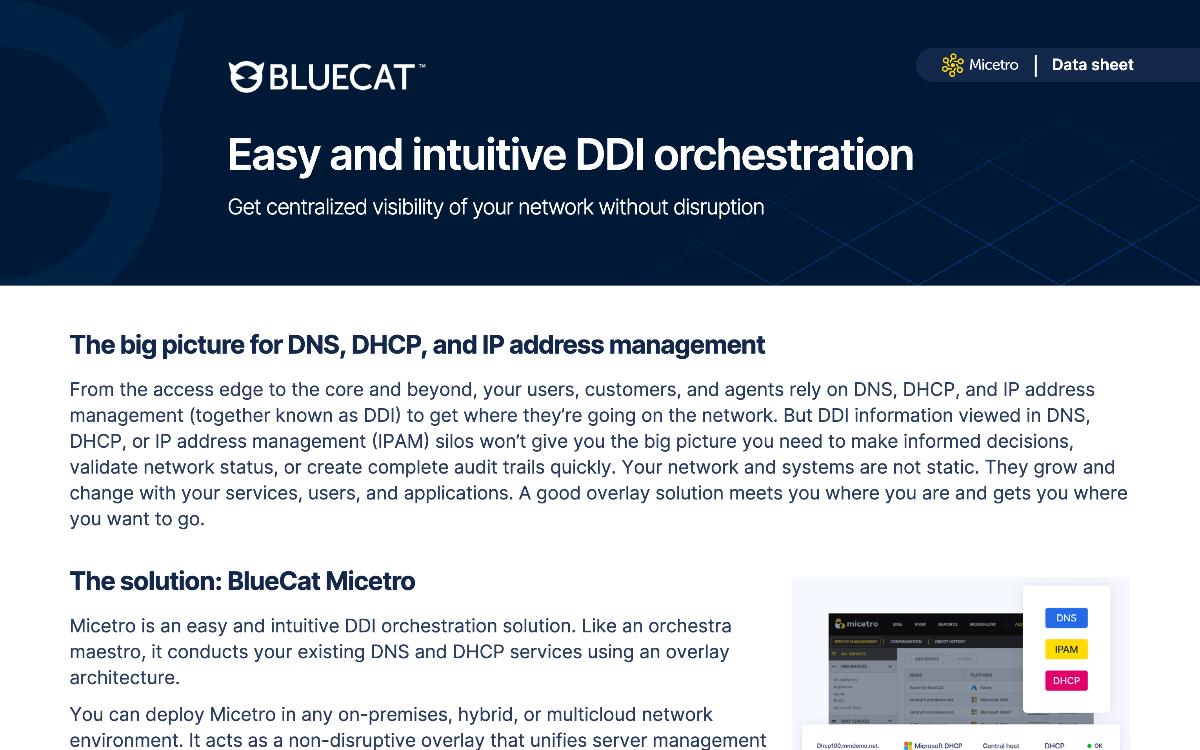
The cost case rests on three numbers: what the licensing metric counts, what the next appliance refresh and support renewal cost, and how many staff-weeks the cutover consumes. BlueCat Micetro overlays the DNS and DHCP services already running, so those three lines shrink instead of repeating.
· 01 — WHAT THE LICENSING METRIC IS ACTUALLY COUNTING
Why does an appliance-based DDI renewal cost more than the network it manages?
Because the licensing metric usually counts address space, not active address usage.
Many IPAM products charge by IP address without helping teams distinguish live addresses from stale, duplicate, or rogue ones, so decommissioned space keeps appearing on the invoice.
The first line of any cost case is a true IP count. Rogue addresses sitting outside a child subnet, ranges last seen “Never,” and the same devices defined in two overlapping address spaces all inflate the billed number. Overlapping address spaces are the fastest way to double-count the same hardware.
Unnecessary services inflate it further. If DHCPv6 is not in use, leaving it managed means addresses count as assigned on the strength of a reservation nobody needs. An IP reconciliation report, related DNS data, discovery timestamps, and object history give a team enough evidence to true up the count before the quote is signed.
Many IPAM solutions will charge by IP address, but what they won’t do is help you understand whether you’re actually using all your IPs. We…
4 min·Blog
Read more →
· 02 — THE HARDWARE AND PATCHING LINE
What does the appliance refresh and patching cycle really add to DDI total cost of ownership?
The recurring cost is a maintenance tax: OS patching, CVE testing, configuration drift across servers, and senior engineers spending their weeks on upkeep instead of projects.
That tax applies whether the DNS and DHCP underneath is a vendor appliance or self-managed BIND and ISC DHCP on Linux.
For years, BIND DNS and ISC DHCP on Linux have been the reliable workhorses of the network. The cost shows up elsewhere: the patching treadmill, inconsistent setups that make troubleshooting slow, complex disaster recovery, and separate management interfaces for every platform in the estate.
A turnkey appliance changes who carries that work. Micetro DNS/DHCP Server appliances ship with pre-integrated, hardened BIND and ISC DHCP, and BlueCat manages the appliance OS, BIND, and ISC DHCP updates. Sites can move in phases, with some remaining on BIND while others transition, all visible in one service management view.
Tired of patching and manually configuring BIND DNS and ISC DHCP? Discover how Micetro MDDS appliances can replace them for modern DDI.
5 min·Blog
Read more →
· 03 — THE STAFF-WEEKS LINE
How many staff-weeks does manual DDI work consume before any migration starts?
Measured across surveyed users, manual DDI work ran to roughly 318 DNS record updates, 178 IP provisioning tasks, and 62 troubleshooting incidents a month, over 4,000 minutes of manual effort.
Automating that recovered 1,040 hours a year and $123,700 in annual value.
The savings split cleanly. Four hours reclaimed per person per week across a five-person team is 1,040 hours annually, worth about $84,500 in labour at a network architect’s median salary, plus $39,200 from reduced reliance on third-party DDI management vendors.
The operational numbers moved with the cost numbers: 75% reported fewer DNS provisioning errors, 75% fewer IP conflicts, and 65% faster provisioning. Sixty-five percent saw value in under two weeks, and 95% said installation was straightforward, which keeps the cutover line in the business case small.
$123Kannual ROI
$123K annual ROI
Surveyed organizations reported an average of $84,500 in reclaimed labour and $39,200 in reduced third-party DDI vendor spend each year.
Learn how BlueCat Micetro enables DDI orchestration across DNS, DHCP, and IPAM to reduce manual work and deliver $120K+ in ROI.
3 min·Blog
Read more →
· 04 — THE RIP-AND-REPLACE ASSUMPTION
Is ripping out the incumbent and replacing the whole estate the cheaper option?
No. Rip-and-replace writes off infrastructure that still works and adds migration risk that never appears in the quote.
The cheaper path is to move only what needs moving, in verified, reversible steps, and leave the working services alone.
The reason the migration line stays vague in most cost cases is that it has historically been done by hand: days of exports, custom scripts, and a late-night cutover where you find out what broke when the service fails. That is the migration tax, and it is why teams price the whole estate for replacement or decide not to move at all.
Micetro removes it. Zones and scopes move directly between Microsoft, BIND, Kea, Cisco IOS, Azure DNS, AWS Route 53, and Micetro DNS/DHCP Servers inside the interface, with no CSV exports or glue code. Pre-flight validation checks for conflicts and missing dependencies before anything moves and halts with a fix if it finds one. Every migration is a reversible transaction with one-click rollback, and configurations can even be recovered from servers that are already offline or decommissioned. Wizard-based migration with built-in validation cuts effort by an estimated 60 to 80% compared to manual processes.
Automate cross-platform DNS and DHCP migration with Micetro to reduce risk, eliminate manual effort, and modernize infrastructure faster.
4 min·Blog
Read more →
Talk to a BlueCat expert about how this pattern shows up in your environment, including what your current licensing metric is actually counting and what the next refresh cycle will cost.
What should teams look for in an overlay management layer that replaces an appliance-based DDI incumbent?
Require six things: a non-disruptive overlay that manages existing DNS and DHCP without re-architecture, coverage of every platform already in the estate,
a single interface and API, agent consolidation, object-level access control, and reporting that supports audit and capacity planning.
Each criterion is the inverse of a cost driver established above. No forklift upgrade, because migration staff-weeks dominate the switching cost. Support for Microsoft DNS, ISC BIND, ISC DHCP, Kea DHCP, AWS Route 53, Azure DNS, and Cisco Meraki, because paying for parallel tools per platform is what inflated the incumbent bill.
The rest protects uptime and audit position. One proxy agent instead of multiple agents on Microsoft DNS and DHCP servers cuts installation and maintenance work. Object-level permissions on DHCP scopes and DNS zones limit changes that affect uptime, single sign-on and multi-factor authentication satisfy internal security requirements, and workflow-driven DNS change queues create the change trail auditors ask for.
BlueCat Micetro is an easy, intuitive DDI orchestration solution that overlays your existing DNS, DHCP, and IPAM services to provide centralized visibility…
4 min·Blog
Read more →
· 06 — THE CUTOVER ITSELF
How is a DDI cutover scoped so the migration cost stays predictable?
By using predefined implementation packages with fixed scope, defined go-live events, and set timelines rather than open-ended custom scoping.
That is what keeps the cutover line in a cost case a number instead of an estimate.
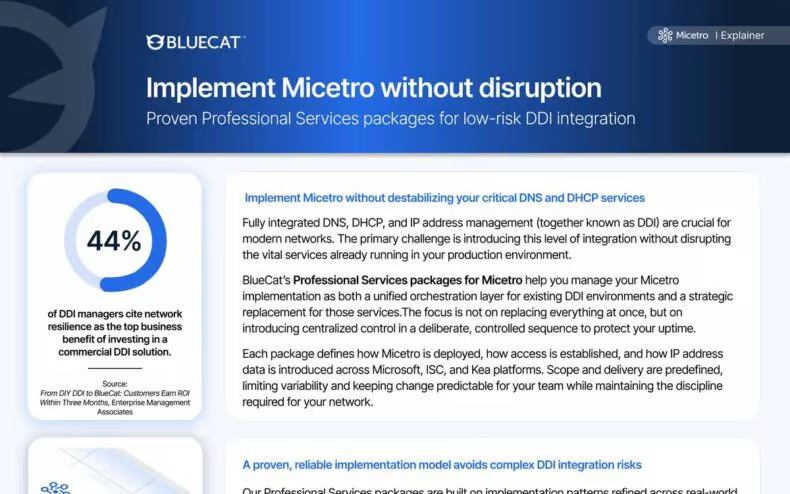
“BlueCat’s Professional Services packages address the challenge of introducing centralized DDI control without disrupting existing production DNS and DHCP services.” Each package defines what the layer will manage, how access is established, and how IP address data is introduced across Microsoft, ISC, and Kea platforms.
The packages come from patterns refined across real deployments, based on observed platform combinations, service counts, and rollout sequencing. Services can be sized directly against the environment without delays from custom scoping. “Teams can expect a staged, controlled implementation that maintains DNS and DHCP stability while Micetro assumes orchestration responsibilities.”
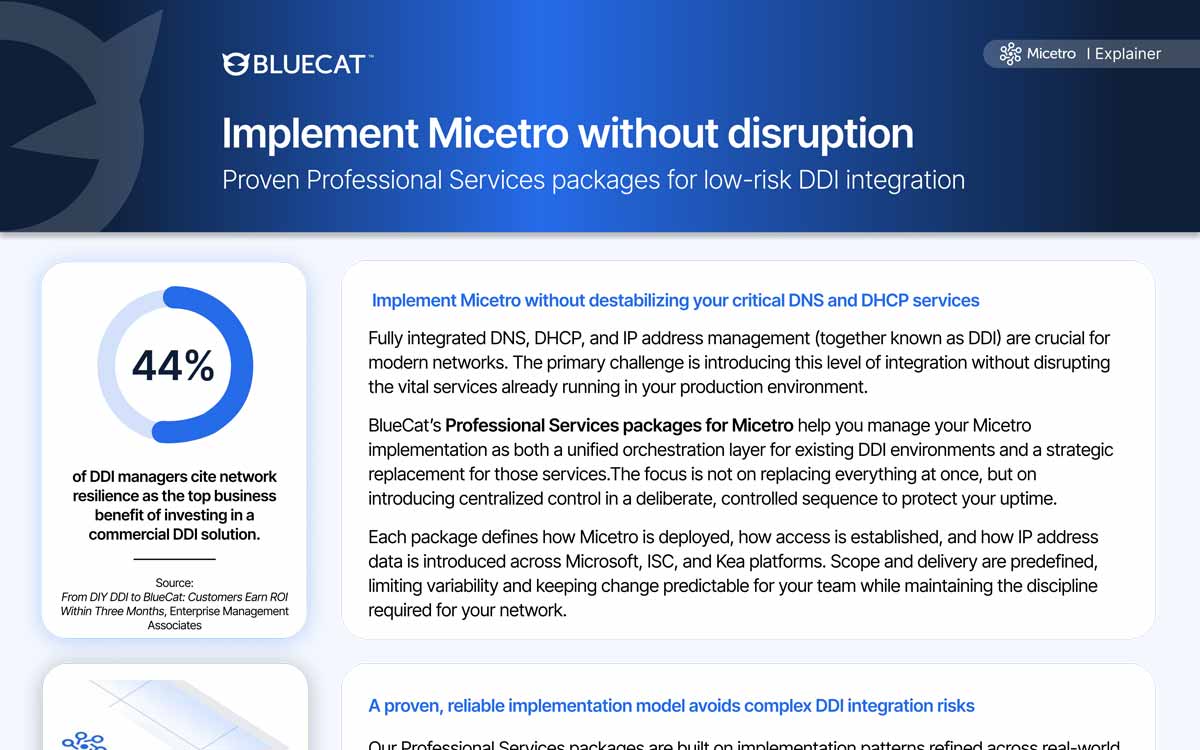
44%of DDI managers
44% of DDI managers
Forty-four percent of DDI managers cite network resilience as the top business benefit of investing in a commercial DDI solution.
BlueCat’s predefined Professional Services packages for Micetro enable low-risk DDI integration by introducing centralized control in a deliberate, staged…
With Micetro, integrate, orchestrate, and automate your current DNS, DHCP, and IPAM network infrastructure via a single web interface.
5 min·Page
View Micetro →
· 07 — THE PAYBACK STORY
What does the payback actually look like once the management layer changes?
In one global technology company, moving DNS and DHCP onto standardized Windows Server and importing IPAM from a homegrown system into Micetro allowed 80% of the staff previously dedicated to DDI management to be redeployed.
An automated approval workflow then cut DNS change tickets from about 500 per month to zero.
Before the change, a large number of inefficient Unix DNS and DHCP servers demanded heavy administration for patching and day-to-day entry management, and every change was made centrally by a large team working to detailed SLAs. Retrieving DNS, DHCP, and IP address data for business units was slow and manual.
Micetro is the recommendation for this pattern: an overlay for on-premises and edge Microsoft, BIND, and Kea estates where the goal is retiring the incumbent’s management layer and hardware, not the services. Its API gave business units real-time access to DNS, DHCP, and IP address information for departmental applications, and the customer reported better service levels, improved uptime and security, and significant cost savings.
80%of DDI staff redeployed
80% of DDI staff redeployed
Standardizing DNS and DHCP and moving IPAM into Micetro freed most of the team previously dedicated to DDI management for other work.
BlueCat Micetro's automated approval workflow lets employees request DNS changes and administrators approve or deny them, cutting service desk change…
2 min·Blog
Read more →
· 08 — Paths forward
Which path is right for a team facing a DDI renewal or refresh?
The path depends on how close the renewal is and how much of the incumbent's footprint is hardware. Three sequences cover most estates, and the first is worth running regardless of the eventual decision.
PATH 01
Renewal or true-up quote arriving in the next two quarters
True up the count before the quote
Audit root containers, overlapping address spaces, DHCPv6 usage, and last-seen data to establish what is actually in use. Correlate with DNS records, discovery data, and an IP reconciliation report before accepting a per-IP figure. This changes the negotiation and the baseline for any comparison.
Working Microsoft, BIND, Kea, or cloud DNS and DHCP services underneath a paid incumbent
Overlay the services, retire the management layer
Introduce a non-disruptive overlay that manages what already runs, then decommission the incumbent’s console and hardware. Fixed-scope implementation packages keep the cutover priced and staged. Existing services stay in place or move incrementally.
Appliance refresh due, or self-managed BIND and ISC DHCP consuming senior engineering time
Replace the hardware line with turnkey appliances
Move DNS and DHCP onto turnkey appliances with pre-integrated, hardened BIND and ISC DHCP so OS and service patching is no longer a local workload. Phase it site by site, keeping some locations on BIND while others transition, with everything managed in one view.
Service desk absorbing high volumes of routine DNS change tickets
Automate the change queue first
Put a request-and-approval workflow in front of DNS changes so requesters submit and administrators approve, with central control preserved. In one global technology company this removed roughly 500 monthly tickets entirely and freed most of the staff previously dedicated to DDI management.
Questions that come up when a DDI renewal turns into a replacement decision.
The features that matter for ITIL alignment are workflow-driven change control, granular role-based access, and reporting with retained history. A DNS change queue with requests and approvals gives change management a defined path, and object-level permissions on DNS zones and DHCP scopes keep unauthorized changes out. Global object history and reconciliation reporting supply the audit and problem-management evidence.
DDI holds the address and identity context access control decisions depend on, so integration is mostly about exposing DHCP and IPAM data reliably. A centralized layer with an API can supply lease, scope, and address assignment context to policy systems in real time, including across Cisco Meraki SD-WAN environments. Without that centralization, the same data sits in per-platform silos and has to be gathered manually.
Flow records identify addresses; DDI explains what those addresses are. Joining them turns an IP in a flow log into a named host, a subnet owner, and a lease history, which shortens troubleshooting considerably. A unified DDI view across on-premises and cloud services is what makes that correlation possible, since fragmented tools cannot resolve an address consistently.
Managing DNS records, DHCP scopes, and IP ranges through one API, as Micetro does, allows provisioning to be scripted and scheduled rather than performed by hand, and cleanup scripts can run on a schedule to keep records matching reality.
No. An overlay management layer such as Micetro manages existing DNS and DHCP services in place, including Microsoft DNS, ISC BIND, ISC DHCP, Kea DHCP, AWS Route 53, Azure DNS, and Cisco Meraki.
In the surveyed group of Micetro users, 65% realized value in less than two weeks and 95% reported installation was straightforward. Micetro installs on a virtual machine, in a cloud, or on bare metal in under an hour, which is why the payback window is short.
We’re using cookies on this website to improve your experience. Cookies help us learn how you interact with our website and remember you when you come back so we can tailor it to your interests.
To learn more about cookies and how we use them, read our cookie notice.
Some cookies are essential, while others help us to improve your experience by giving us insight into how you are using our website. You may adjust your preferences for non-essential cookies below.
To learn more about cookies and how we use them, read our cookie notice. You can also review our privacy policy for more details on the personal data we collect, use, hold, and disclose when you visit our website or use our products and services.
Functional cookies
Functional cookies are essential cookies that allow us to remember choices or changes you have made (such as to language settings or your choices regarding the use of cookies). These cookies cannot be turned off since they are essential for the operation of our Websites.
Analytics cookies
Analytics cookies are non-essential cookies that collect information on how visitors use our Websites. We use this information with your consent to measure the number of visitors to our Websites, determine whether specific content or communication has been viewed, and to help us improve our Websites and communication. These cookies can be turned off.
Personalisation Storage
Personalisation cookies are non-essential cookies that collect information when you fill out a form on this website. We only use this information with your consent to pre-fill other forms on the site. These cookies can be turned off.
Marketing cookies
Marketing cookies are cookies that are placed by third parties to collect information about your visits and actions on our Websites so that they or we can deliver ads to you later, such as when you are on certain third-party sites or platforms. These cookies may be used by those third parties to build a profile of your interests and show you relevant ads on other websites. These cookies also enable visitors to our Websites to share content on social networks and to enable and evaluate interactions with our communication and social media tools. These cookies can be turned off.