Multi-platform DDI automation breaks down when every DNS and DHCP service has its own console, API, and data model. BlueCat Micetro replaces that with a single, API-driven control plane, a non-disruptive overlay that orchestrates your existing Microsoft, BIND, Kea, Cisco Meraki, and cloud-based services without re-architecture or downtime.
Why is it so hard to automate DNS and DHCP across multiple platforms?
Because each platform brings its own management console, API, and data model.
Networks rarely run homogeneous DNS and DHCP, so consistent policy enforcement and centralized visibility become nearly impossible without a layer that abstracts those differences away.
DNS and DHCP services commonly sit across Windows Server, BIND, Kea, Cisco Meraki, and several cloud providers at once. Managed separately, they produce silos that limit visibility, automation, and governance, and every scripted workflow has to be written and maintained against each back end.
An overlay changes the shape of the problem. A vendor-agnostic orchestration layer abstracts vendor-specific differences and provides a single management framework, so DNS, DHCP, and IPAM data can be viewed, configured, and synchronized across on-premises and cloud infrastructure in real time.
Today’s enterprise networks span data centers, cloud environments, and distributed edge systems. DNS, DHCP, and IP address management (together known as…
13 min·Blog
Read more →
· 02 — ONE API INSTEAD OF MANY
How do you build one automation workflow that works across on-prem and cloud DNS?
Stop building one workflow per DNS platform.
Build it once, against Micetro. Micetro talks to Microsoft, BIND, Kea, and the rest underneath, and hands back the same consistent output no matter where the workload lives.
Say you’re onboarding a new service. The workflow must claim IP information and create DNS records for every tier of the application. The database tier may sit on-premises on Microsoft or BIND DNS while the app and web tiers run on Route 53 or Azure DNS. With an overlay, one API call set covers all of them.
Consolidating workflows does more than save scripting time. It creates consistency across networks, and consistency leads to more reliable uptime and easier troubleshooting.
1workflow
1 workflow
One overlay workflow can provision IP and DNS across Microsoft, BIND, Route 53, and Azure DNS instead of a separate workflow for each service.
The BlueCat Micetro REST API provides a unified, standards-based interface to automate and integrate DNS, DHCP, and IP address management across Microsoft,…
14 min·Blog
Read more →
· 03 — GOVERNING API-DRIVEN CHANGE
How can DDI platforms help with cloud network governance and compliance?
DDI platforms make the orchestration layer the enforcement point.
When every DNS, DHCP, and IPAM change passes through one control plane, access is governed centrally and every transaction and configuration change is authenticated, logged, and auditable.
Native Microsoft tooling is highly configurable but offers only basic role definitions, which makes least privilege hard to enforce and leaves limited visibility into who modified what. Overly broad permissions then become the operational risk, because a single misconfiguration can take resolution down.
A centralized model closes that gap. Granular roles can be scoped to specific zones, scopes, or subnets, from full-access administrators to read-only auditors, and comprehensive audit logging records every action. Changes to DNS records and custom properties can be rolled back through the audit log when something goes wrong.
Learn how easy it is to implement enhanced role-based access controls for Microsoft DNS and DHCP server environments with Micetro.
6 min·Blog
Read more →
Talk to a BlueCat expert about how this pattern shows up in your environment. We work with hybrid Microsoft DNS estates, lean IT teams modernizing without rip-and-replace.
· 04 — AUTOMATING REPORTING AND MULTI-TEAM VISIBILITY
What capabilities are needed for multi-tenant DDI deployments?
Scoping and delegation. Reports and permissions both need to be scoped to a domain, region,
or business unit so each team sees only its own data, while central operations keeps a full view across every tenant.
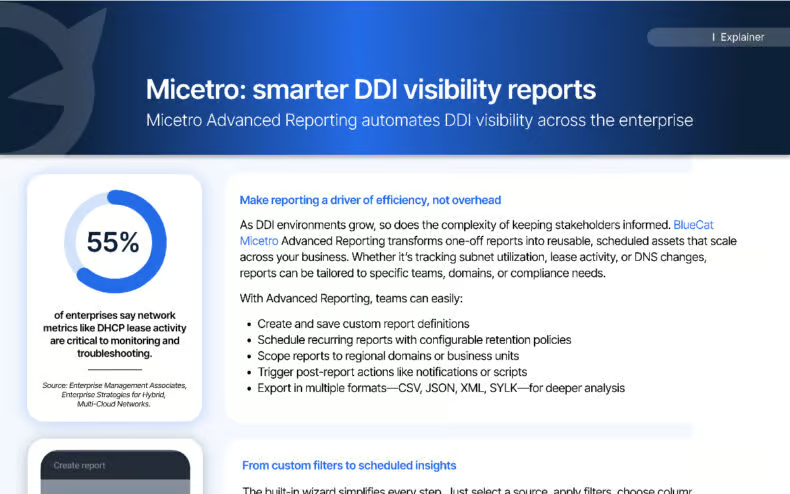
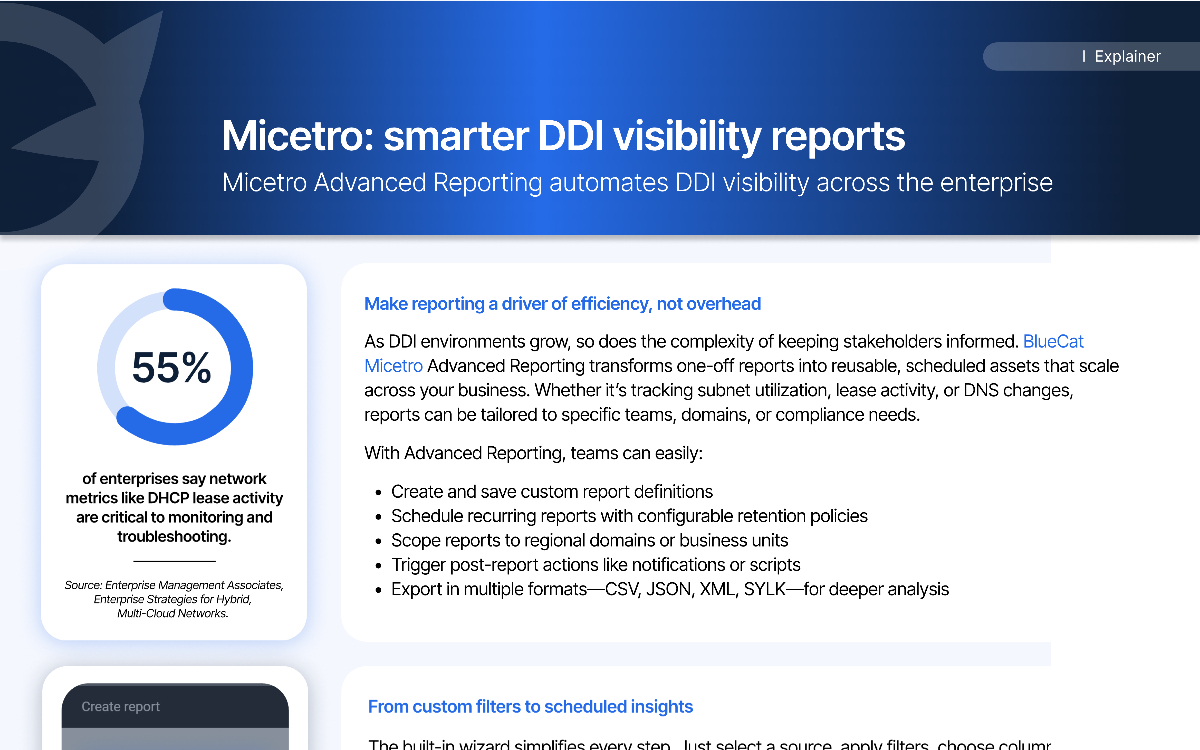
As DDI environments grow, so does the complexity of keeping stakeholders informed, and one-off reports stop scaling. Reusable report definitions, recurring schedules, and configurable retention turn reporting from overhead into an automated service, with exports in CSV, JSON, XML, and SYLK for downstream analysis.
A global consumer packaged goods organization runs scheduled IP utilization reports for each regional IT team, scoped to the relevant domain or geography so no manual filtering is needed. Reports run every Monday, are retained for 30 days, and trigger email alerts when usage crosses defined thresholds. Coverage later extended to DNS record changes and DHCP lease activity.
55%
55%
Network metrics such as DHCP lease activity are considered critical to monitoring and troubleshooting by 55% of enterprises surveyed.
BlueCat Micetro Advanced Reporting automates DDI visibility with reusable, scheduled reports that scale across teams, domains, and compliance needs. With…
2 min·Blog
Read more →
· 05 — EVALUATION CRITERIA
What should teams look for in a platform for multi-platform DDI automation?
Look for a non-disruptive overlay model, one API covering every back end, role-based access that applies equally to API and UI users, full audit history, and guided migration tooling.
Each of those is the inverse of a failure mode teams hit when DDI stays platform-by-platform.
Start with the deployment model. A platform that orchestrates existing DNS and DHCP servers rather than replacing them avoids re-architecture and downtime, and lets modernization proceed at the organization’s own pace. Agent-free management for Microsoft, Kea, and Cisco DHCP, with a lightweight agent for BIND, keeps production servers in place.
Then check the automation and resilience surface. Full create, read, update, and delete access to DDI objects over REST, with JSON-RPC, SOAP, and Ansible and Terraform integrations, is what lets DDI drop into CI/CD pipelines. Active-standby clustering, scheduled backups, and a zone migration wizard cover the recovery and transition cases.
BlueCat Micetro centralizes and normalizes DDI data across on-premises, hybrid, and multicloud environments, providing a single source of truth for DNS,…
14 min·Blog
Read more →
· 06 — A REAL DEPLOYMENT
What does automated multi-platform DDI look like in a Microsoft-centric organization?
It looks like one place to log in, granular delegation without domain controller access, and API-driven provisioning and decommissioning.
NI (National Instruments) runs exactly that pattern on BlueCat Micetro across more than 50 Active Directory sites, 10,000 IP ranges, and over 20 DNS zones.
NI uses on-premises directory services, cloud identities, and Microsoft SQL as its back end, so tight Microsoft integration was a requirement. Micetro imports users and groups with single sign-on, and role-based access is scoped to the subnet and DNS zone level. As Charlie Alvarez, IAM service owner, put it, “we can go right to the subnet level and allow various teams access to specific subnets that they own.”
Rather than logging into 120-plus servers, teams work in one application. NI integrates an orchestration tool called Resolve with the Micetro APIs to create virtual machines, assign static IPs, and handle DNS records, and just as importantly to sunset servers and clean up the IPs and DNS entries behind them. Object history records who changed what, when, and why.
120+DNS and DHCP servers
120+ DNS and DHCP servers
NI replaced logging into more than 120 individual servers with a single console and API covering its full DDI estate.
With Micetro, integrate, orchestrate, and automate your current DNS, DHCP, and IPAM network infrastructure via a single web interface.
5 min·Page
View Micetro →
· 07 — Paths forward
Which automation path fits your DDI estate?
Three paths cover most estates, and they are sequential rather than exclusive. Start where the pain is loudest: fragmented workflows, ungoverned change, or reporting that nobody can scale.
PATH 01
Multiple DNS and DHCP platforms, one workflow per back end
Consolidate the automation surface first
Point existing provisioning automation at a single overlay API instead of per-platform APIs. One workflow then covers on-premises Microsoft or BIND and cloud DNS alike. Consistency here is what reduces troubleshooting time later.
Audit pressure, or too many people holding broad admin rights
Govern change before widening access
Scope roles to specific zones, scopes, and subnets so teams work without domain controller access. Comprehensive audit logging and rollback turn permitted changes into recoverable ones. API users inherit the same permissions as UI users.
Stakeholders across regions or business units asking for the same numbers repeatedly
Automate reporting last, and permanently
Convert one-off reports into scheduled, scoped definitions with retention policies and post-report actions. Regional teams get local views without manual filtering, and central operations keeps global oversight.
Common questions from teams automating DDI across mixed on-premises and cloud platforms.
By making address and name allocation programmatic from the first rack. Micetro provides full create, read, update, and delete access to DNS, DHCP, and IPAM objects over REST, with Ansible and Terraform integrations, so a buildout provisions addressing and records from the same pipeline that builds the compute. Micetro’s custom properties let the new site carry its own metadata without a separate tracking spreadsheet.
Centralize the controls rather than duplicating them per platform. Role-based access control enforced from one place, single sign-on and multi-factor authentication through existing identity providers, immutable logs, and multi-step approval workflows tied to ITSM tooling map cleanly onto most architecture and change-management standards. The key requirement is that API access inherits the same permissions as interactive access.
Fewer consoles and faster diagnosis. When DNS, DHCP, and IPAM data sits in one place alongside operational reporting, subnet utilization, DNS record changes, and DHCP lease activity can be correlated instead of reconstructed. Survey data puts 55% of enterprises saying metrics like DHCP lease activity are critical to monitoring and troubleshooting.
No. Micetro’s overlay model orchestrates existing DNS and DHCP servers rather than replacing them, using agent-free management through platform APIs for Microsoft, Kea, and Cisco DHCP. Production servers stay in place, and migration proceeds at the organization’s own pace.
ISC DHCP and Kea. ISC DHCP is the long-standing standards reference implementation first released in 1998. Kea is the modern successor, built around modularity, hook-based extensibility, and database-backed storage that separates data from the execution environment, with a high availability model rather than ISC DHCP’s failover design.
Yes, in a properly governed overlay. Micetro applies role-based access across the whole DDI environment, so anything done through the API requires the same permissions as the equivalent action in the web interface. Logging into the Micetro API returns a session ID carrying exactly the rights the account holds in the UI.
We’re using cookies on this website to improve your experience. Cookies help us learn how you interact with our website and remember you when you come back so we can tailor it to your interests.
To learn more about cookies and how we use them, read our cookie notice.
Some cookies are essential, while others help us to improve your experience by giving us insight into how you are using our website. You may adjust your preferences for non-essential cookies below.
To learn more about cookies and how we use them, read our cookie notice. You can also review our privacy policy for more details on the personal data we collect, use, hold, and disclose when you visit our website or use our products and services.
Functional cookies
Functional cookies are essential cookies that allow us to remember choices or changes you have made (such as to language settings or your choices regarding the use of cookies). These cookies cannot be turned off since they are essential for the operation of our Websites.
Analytics cookies
Analytics cookies are non-essential cookies that collect information on how visitors use our Websites. We use this information with your consent to measure the number of visitors to our Websites, determine whether specific content or communication has been viewed, and to help us improve our Websites and communication. These cookies can be turned off.
Personalisation Storage
Personalisation cookies are non-essential cookies that collect information when you fill out a form on this website. We only use this information with your consent to pre-fill other forms on the site. These cookies can be turned off.
Marketing cookies
Marketing cookies are cookies that are placed by third parties to collect information about your visits and actions on our Websites so that they or we can deliver ads to you later, such as when you are on certain third-party sites or platforms. These cookies may be used by those third parties to build a profile of your interests and show you relevant ads on other websites. These cookies also enable visitors to our Websites to share content on social networks and to enable and evaluate interactions with our communication and social media tools. These cookies can be turned off.